How to Write a Money Order (Step by Step)

BankingEasy4:227 stepsBrowse more →
Also in:Adulting

By ShowMeStepByStepPublished Updated

Based on a video by The Stuff I Use Channel.

If you're paying rent to a landlord who doesn't take Zelle, or sending money to someone who doesn't have a bank account, a money order is the safe way to do it. The cash is prepaid at the counter, so there's no bounced-check risk for the person receiving it.

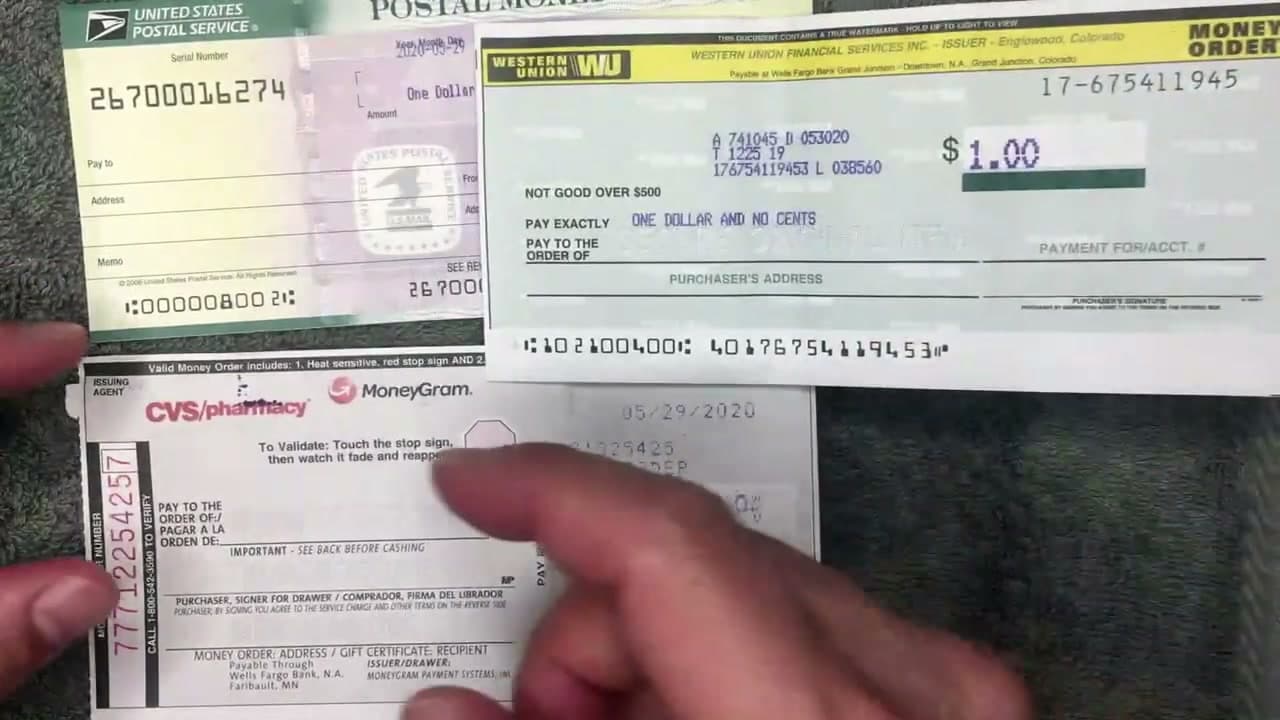
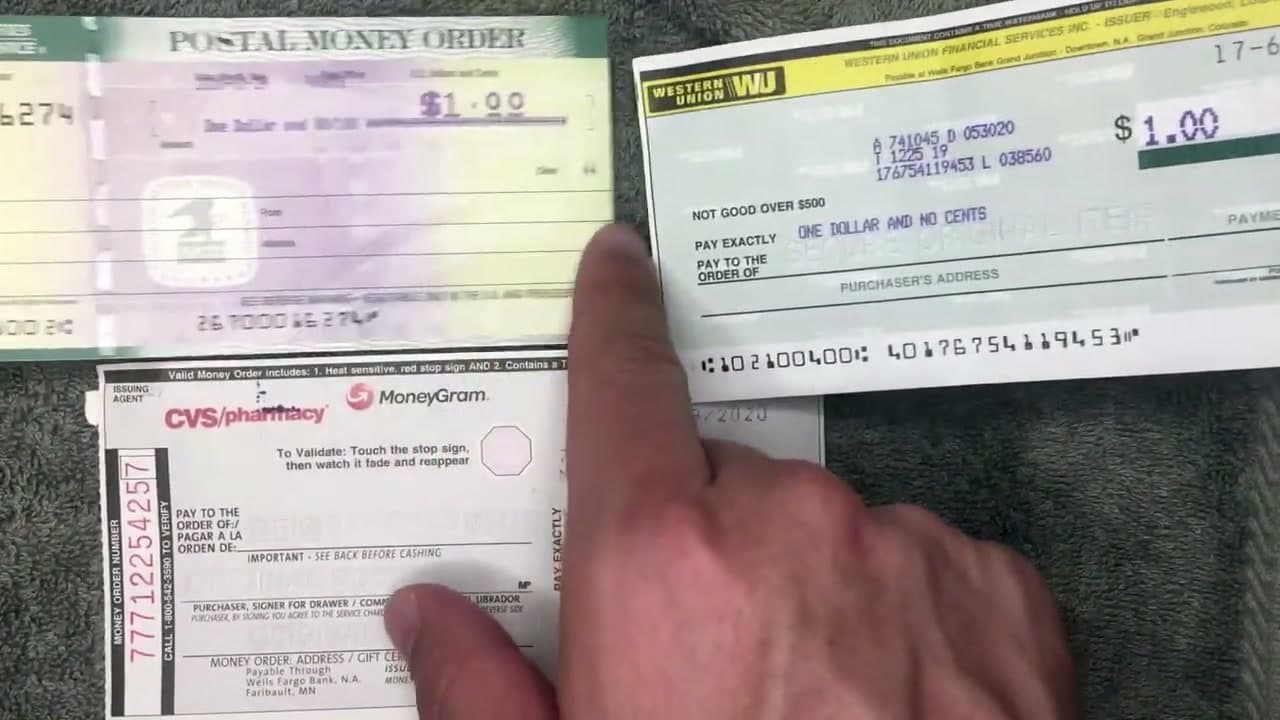
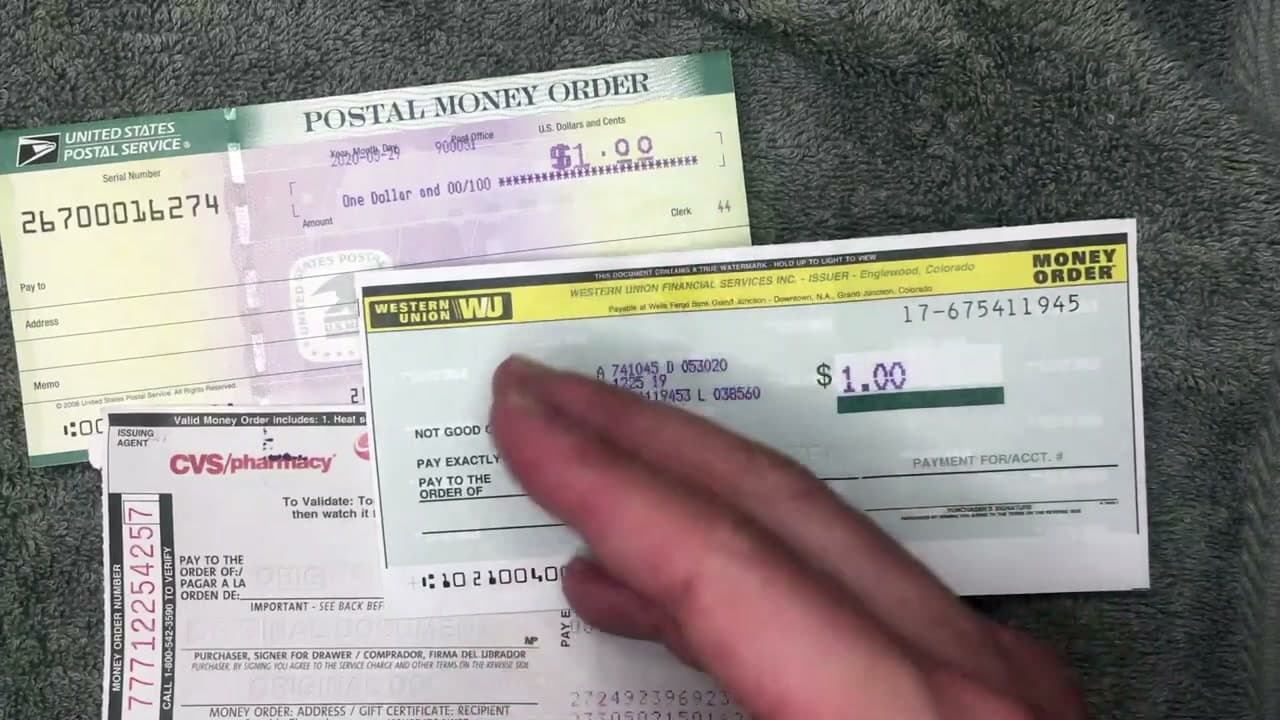
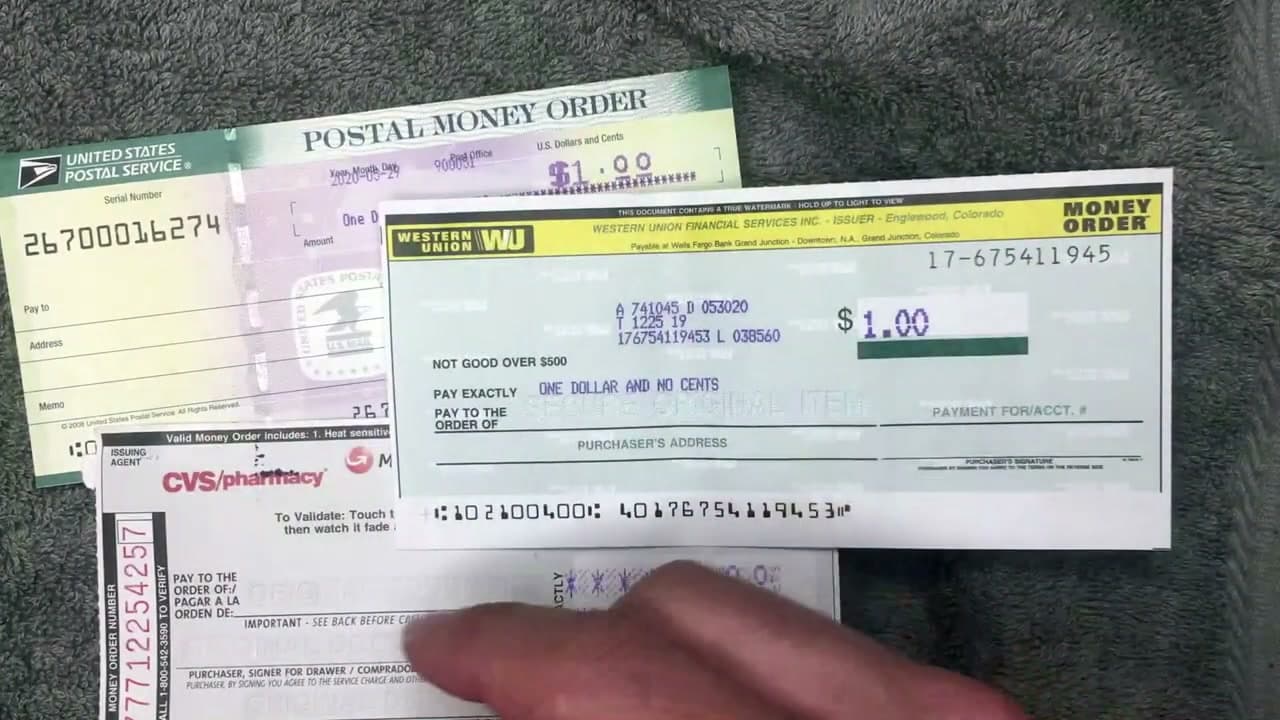
The Stuff I Use Channel walks through three of the most common money orders side by side: USPS Postal Service, Western Union, and a MoneyGram one from CVS. The fields are slightly different on each, but the basics are the same. Fill it out the moment you buy it. If you drop a blank money order in the parking lot and somebody picks it up, they can write their own name on it and cash it.

You'll need a pen (blue or black ink), the money order itself, and the name and address of the person or company you're paying. The whole thing takes about two minutes once you know which lines to fill.

If you're also working on related skills, see our guide to writing a check, how to balance a checkbook, and how to mail a letter once your money order is sealed in its envelope.

Step-by-Step Guide

1

Step 1: Buy the money order at a USPS, Walmart, or convenience store

0:27
Step 1: Step 1: Buy the money order at a USPS, Walmart, or convenience store

You can buy money orders at any USPS post office, most Walmart customer-service counters, 7-Eleven and other convenience stores, Western Union and MoneyGram agents, and many grocery stores. Bring cash or a debit card. Credit cards usually aren't accepted, and if they are, the issuer treats it as a cash advance.

The fee is small. USPS charges about $2 for money orders up to $500. Walmart and convenience stores are usually in the same range. Once you pay, the clerk prints the dollar amount on the money order so it can't be altered, then hands it to you blank in the name field. That's the part you fill out next.

Tip

Fill the money order out right at the counter, before you walk out of the store. A blank money order is basically cash - if you lose it on the way home, whoever finds it can write their own name on the 'Pay to' line and cash it.
2

Step 2: Write the recipient on the 'Pay to the Order of' line

1:18
Step 2: Step 2: Write the recipient on the 'Pay to the Order of' line

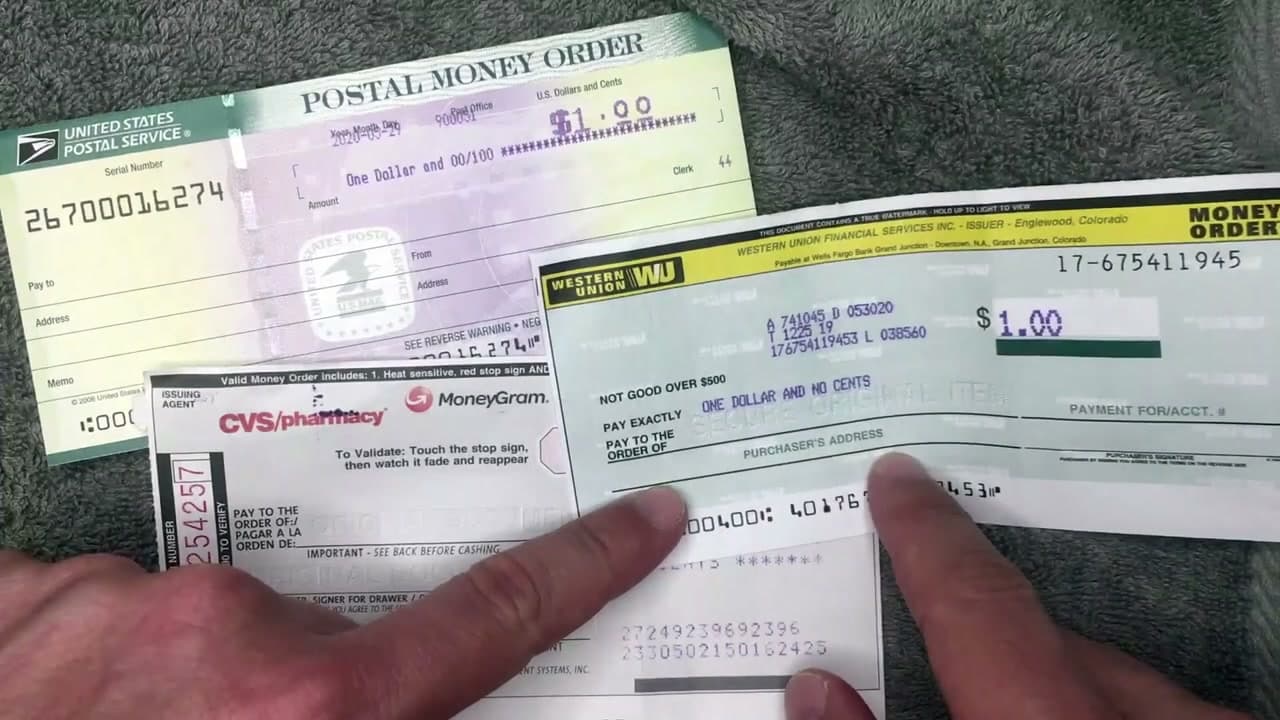
Every money order has a line that says 'Pay to the Order of' (or 'Pay To'). Write the full legal name of the person or company you're paying. Print it clearly in pen, not pencil. Pencil can be erased, which is exactly the kind of editing you don't want on a payment.

If you're paying a bill, copy the company name exactly as it appears on the invoice. If it says 'Pacific Gas & Electric Company', don't shorten it to 'PG&E' - the company processes payments by the name on file, and a mismatch can delay your account credit. If you're paying a person, use their full name as it appears on their ID, not a nickname.

Tip

Once you write a name on the 'Pay to' line, the money order can only be cashed by that person or company. That's the whole reason this is safer than mailing cash.

3

Step 3: Fill in your purchaser address

1:58
Step 3: Step 3: Fill in your purchaser address

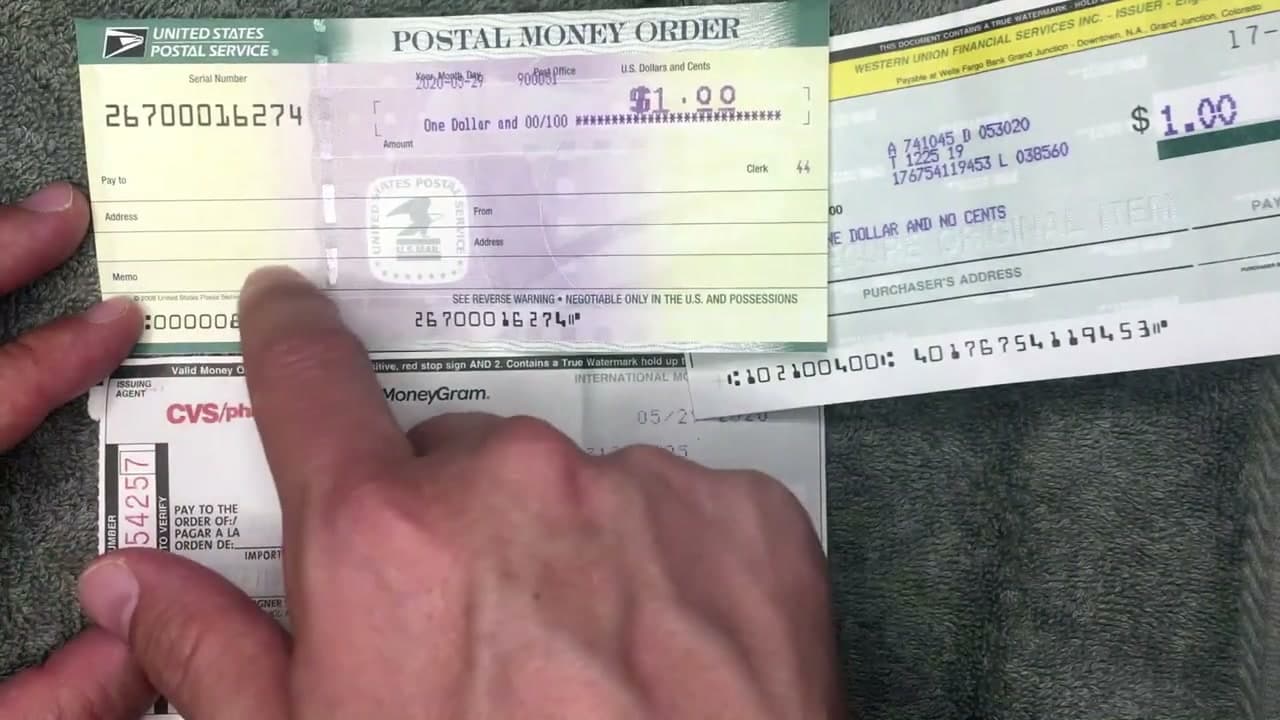
The money order also asks for the purchaser's name and address. That's you - you're the purchaser because you bought it. Write your full name, street address, city, state, and zip on the lines provided. On the Western Union form it says 'Purchaser's Address'. On the USPS form it's 'From / Address'. Same thing.

This isn't just paperwork. If the money order gets lost in the mail, the recipient's bank uses the purchaser address to return it. If it's stolen, this is the address the post office or Western Union uses when you file a tracer to get it replaced.

Tip

Use the address that's on your driver's license or current utility bill - the one that matches the records you'd use to file a refund claim if the money order is lost.

Products used in this step

4

Step 4: Add the recipient address if there's a line for it

2:22
Step 4: Step 4: Add the recipient address if there's a line for it

Some money orders have a second address block for the person you're paying. USPS Postal Money Orders have one labeled 'Address' under the 'From' lines (the recipient's address). Western Union calls it 'Payment For/Acct. #' on the right side. MoneyGram CVS forms call it 'Money Order: Address / Gift Certificate: Recipient'.

If your form has this block, fill it in with the recipient's mailing address. For a utility bill, that's the payment address on the bill (often different from the company's main address). For rent, it's the landlord's mailing address. If the form doesn't ask for it, skip this step - not every money order needs it.

Tip

For account-style payments (utilities, credit cards), write the account number in this block too. It's how the company knows which account to credit.

5

Step 5: Sign the FRONT only - never the back

2:38
Step 5: Step 5: Sign the FRONT only - never the back

Most money orders have a signature line on the front, usually labeled 'Purchaser', 'Purchaser's Signature', or on the MoneyGram form, 'Signer for Drawer / Firma del Librador'. Sign your name on that line.

Do NOT sign the back. The back has a separate signature line - usually labeled 'Endorsement Signature' or just a blank line under the words 'Endorse Here'. That line is for the person you're paying. They sign the back when they deposit or cash it. If you sign the back yourself, you've just turned your money order into cash that anyone can deposit.

One exception: the USPS Postal Money Order doesn't have a purchaser signature line on the front. If yours doesn't have one, you don't need to sign anything. Western Union and MoneyGram do require a front signature.

Tip

Flip the money order over before you put down the pen and look at the back. If you see 'Endorse Here' or a signature line under that phrase, do not sign it. That's for the recipient only.

6

Step 6: Write the purpose on the memo line

3:04
Step 6: Step 6: Write the purpose on the memo line

USPS Postal Money Orders have a 'Memo' line in the lower left. Use it. Write what the payment is for: 'Rent May 2026', 'Account #4823-7711', 'Electric bill', 'Tuition Spring semester'. For account payments, include the account number - it's how the company matches your money order to the right account.

Western Union and MoneyGram forms don't always have a memo line. If yours doesn't, find a blank spot near the bottom of the front (the MoneyGram form has space near 'Pay to the Order of') and write the purpose there in small print. Don't write it across any of the printed lines or the bank may flag it as altered.

Tip

Take a photo of the filled-in money order with your phone before you mail it. You'll have a record of the amount, the recipient, the memo line, and the serial number if anything goes wrong.

7

Step 7: Tear off the receipt stub and mail the money order

3:32
Step 7: Step 7: Tear off the receipt stub and mail the money order

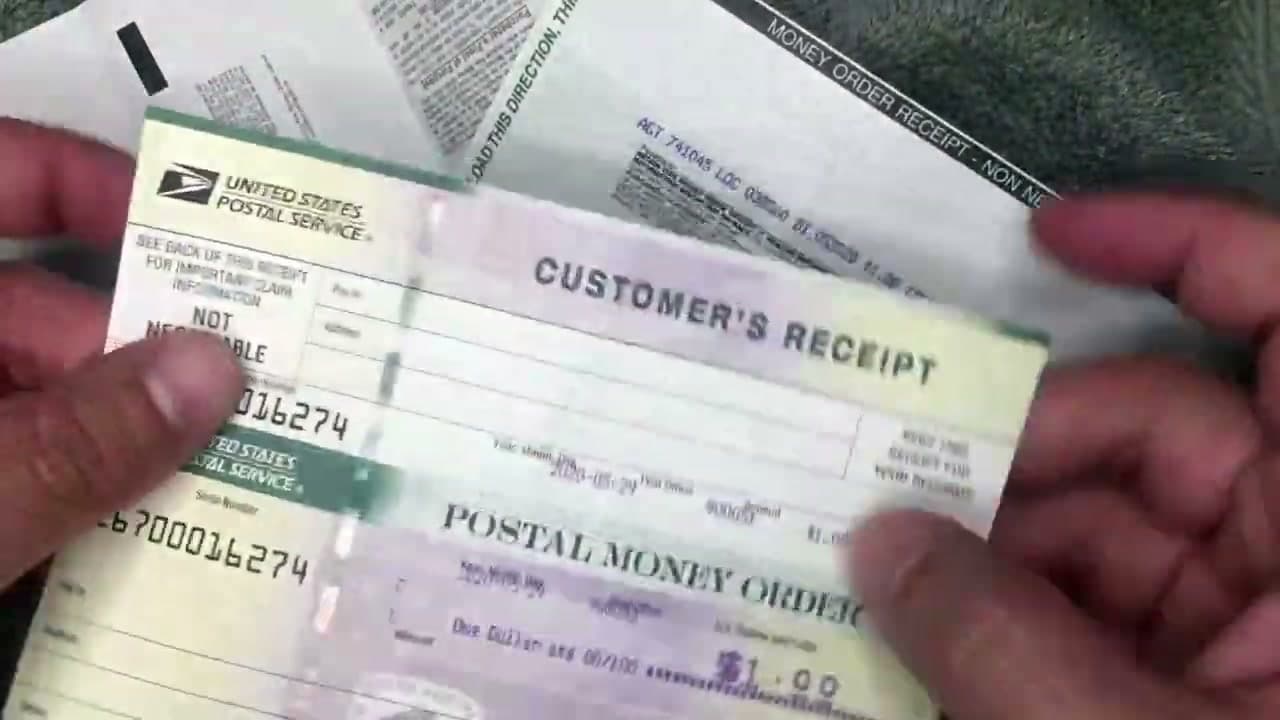
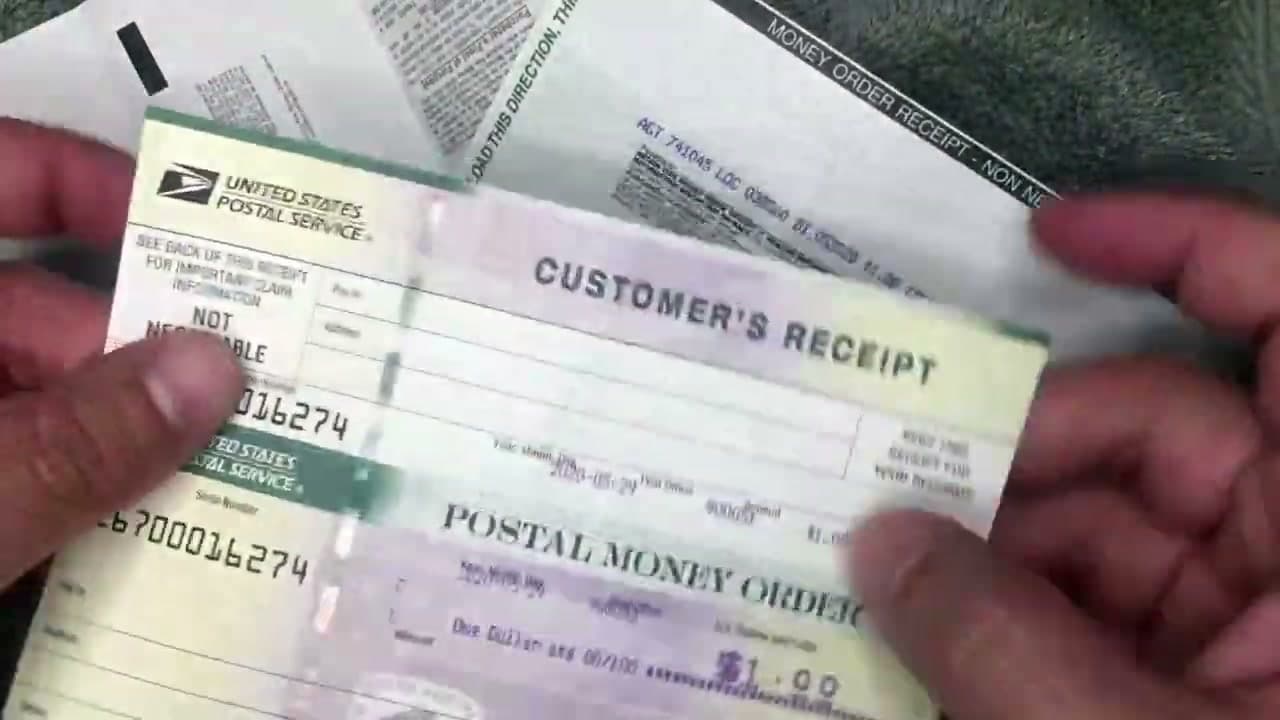
Every money order comes with a customer receipt stub attached at a perforation. The stub has the serial number, the dollar amount, and the issuer. Tear it off carefully and keep it somewhere safe (not in the same envelope as the money order).

The receipt is what you use to file a refund or tracer if the money order is lost or stolen. USPS, Western Union, and MoneyGram all require the serial number from the receipt to process a refund. Without it, your only option is a slow paper-trail search that can take weeks.

Then put the money order in a security envelope (the kind with a tinted pattern inside), seal it, and mail it or hand-deliver it. If you mail it, USPS Certified Mail with tracking is worth the extra $4 for anything over $100.

Tip

Snap a photo of the receipt stub right after you tear it off. If the paper stub gets lost, the photo gives you the serial number and dollar amount you need for a refund claim.

Products Used

☐ The Checklist

How to Write a Money Order (Step by Step)

Tools
2
Steps
7
Video
4 min

Your Guide

The Stuff I Use Channel

As an Amazon Associate we earn from qualifying purchases. Links on this page may be affiliate links - clicking them and buying doesn't change your price, but helps support ShowMeStepByStep.

Tags

What's next

Related collections

Curated theme pages that include this tutorial.

Weekly Digest

Liked this banking tutorial?

Pick the categories you want to hear about. Weekly digest of new step-by-step tutorials. No spam, easy unsubscribe.

Send me tutorials about

We only email about new tutorials. Easy unsubscribe anytime.