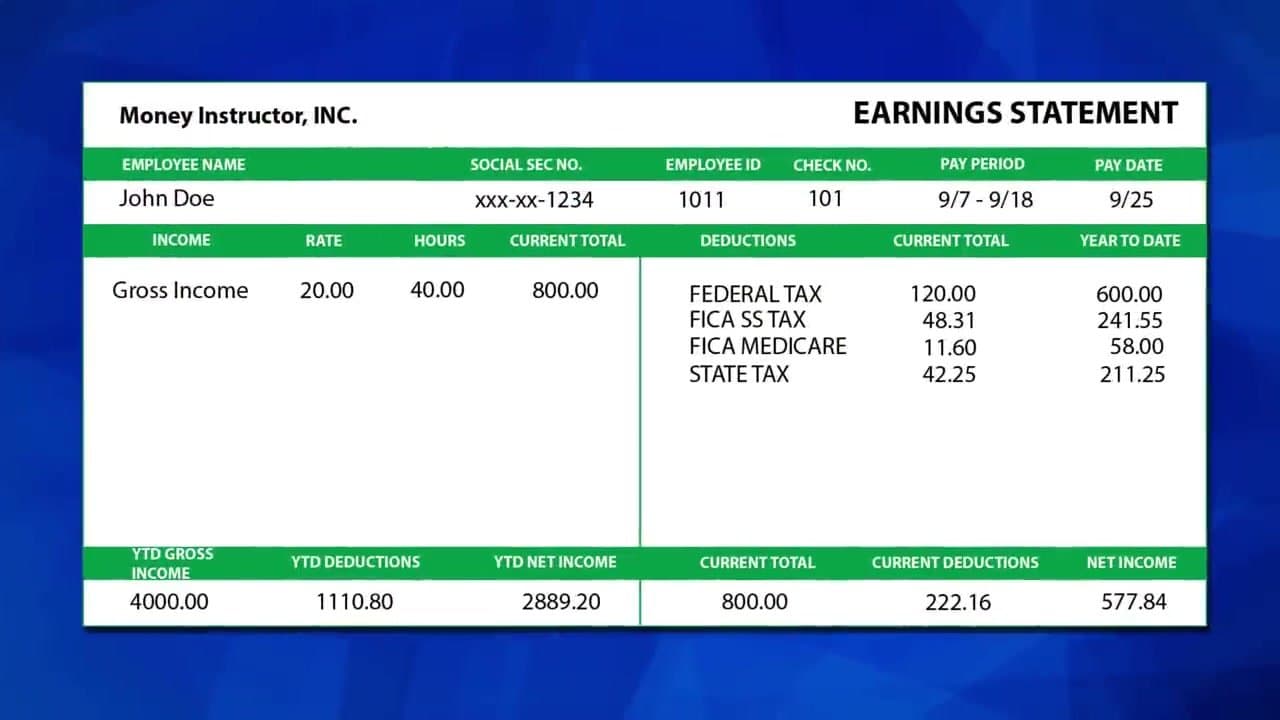
The first time you get a paycheck and the deposit is hundreds of dollars less than what you thought you'd earn, the paystub is the document that explains what happened. It's also where you'd catch a payroll error before it grows into months of underpayment.
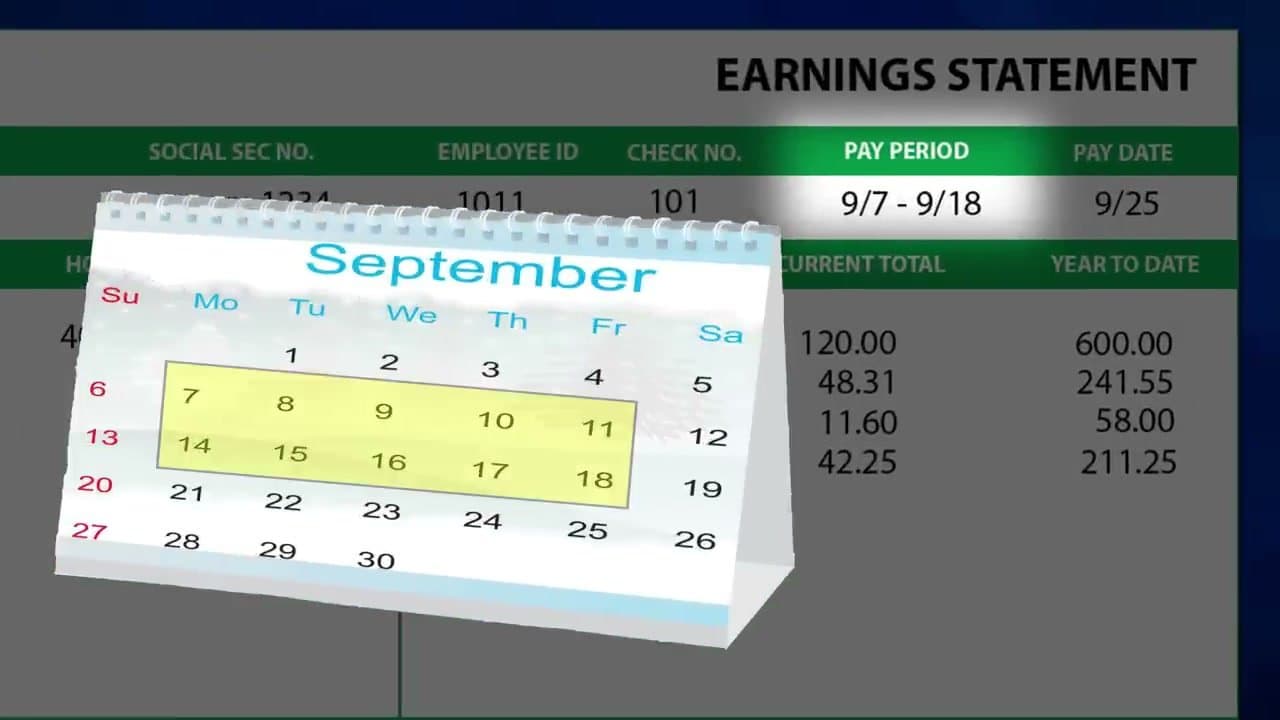
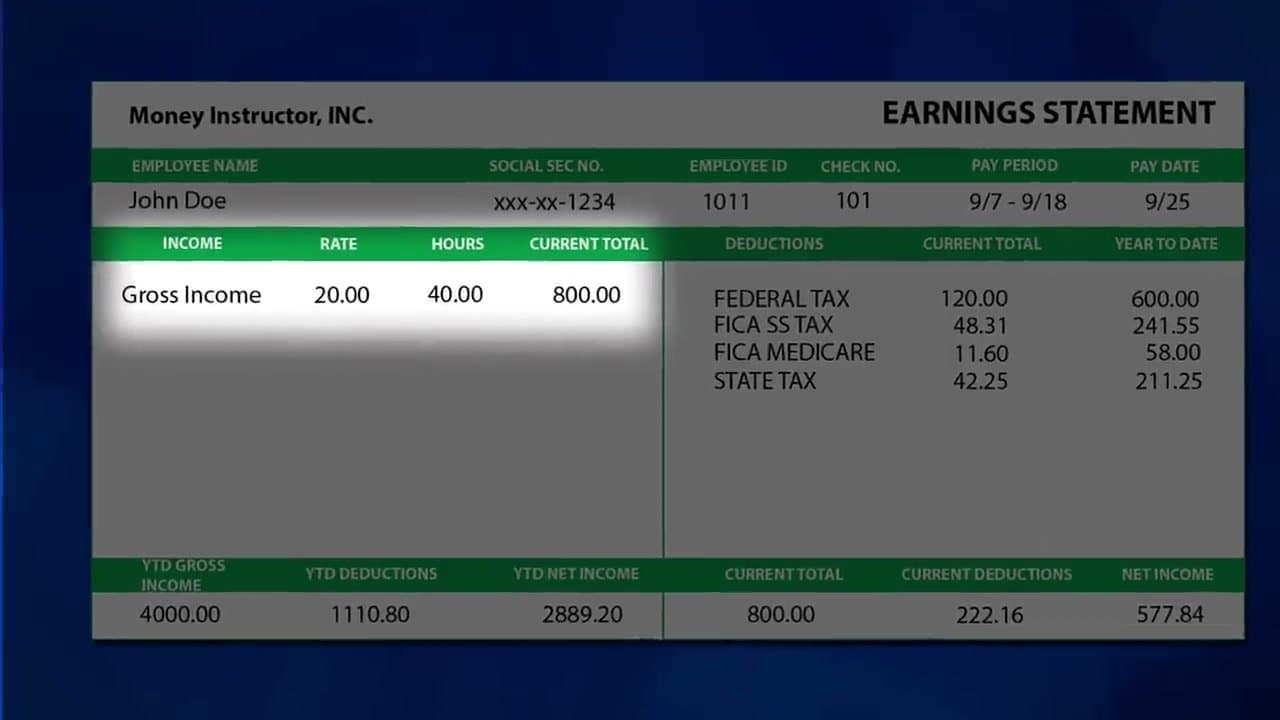
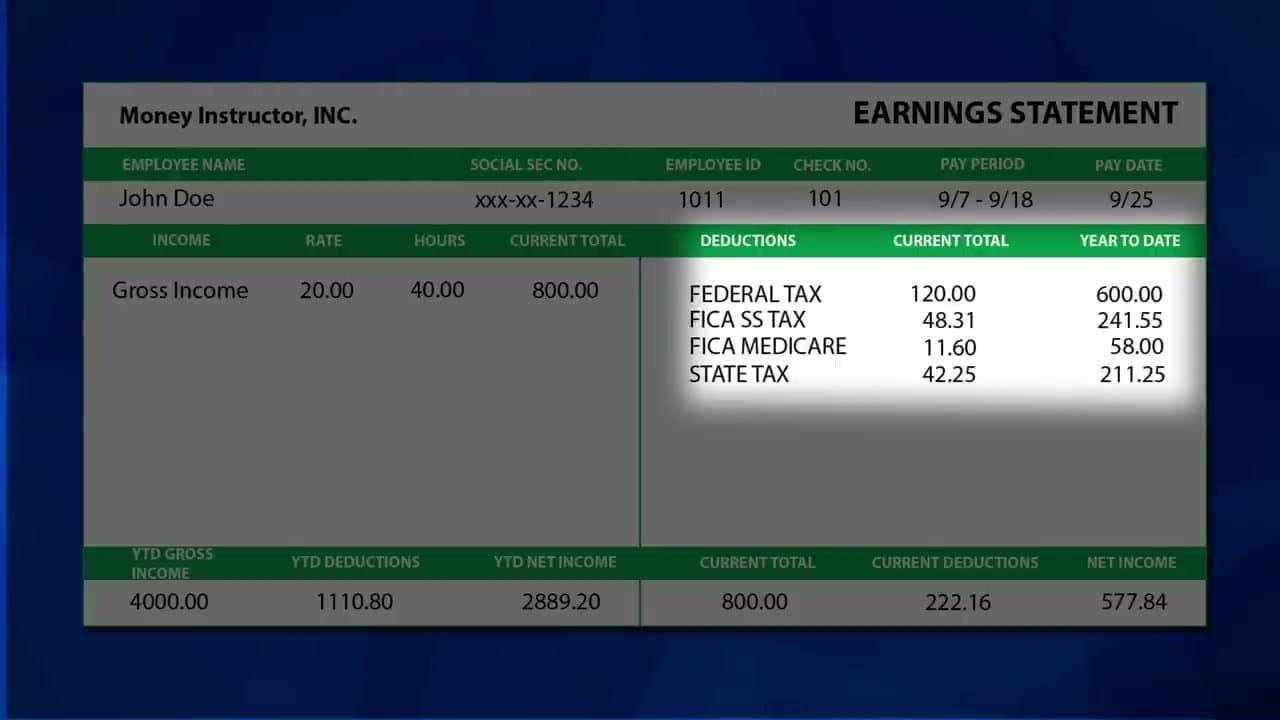
Money Instructor breaks down a sample paystub into five sections you should check every single pay period. Total time: about 30 seconds. Save the stubs in a folder - you'll need them for loans, apartment applications, and tax filing.
You'll need a recent paystub (paper or PDF from your payroll portal) and 30 seconds. That's it.
Common questions about reading a pay stub
What is the difference between gross pay and net pay?
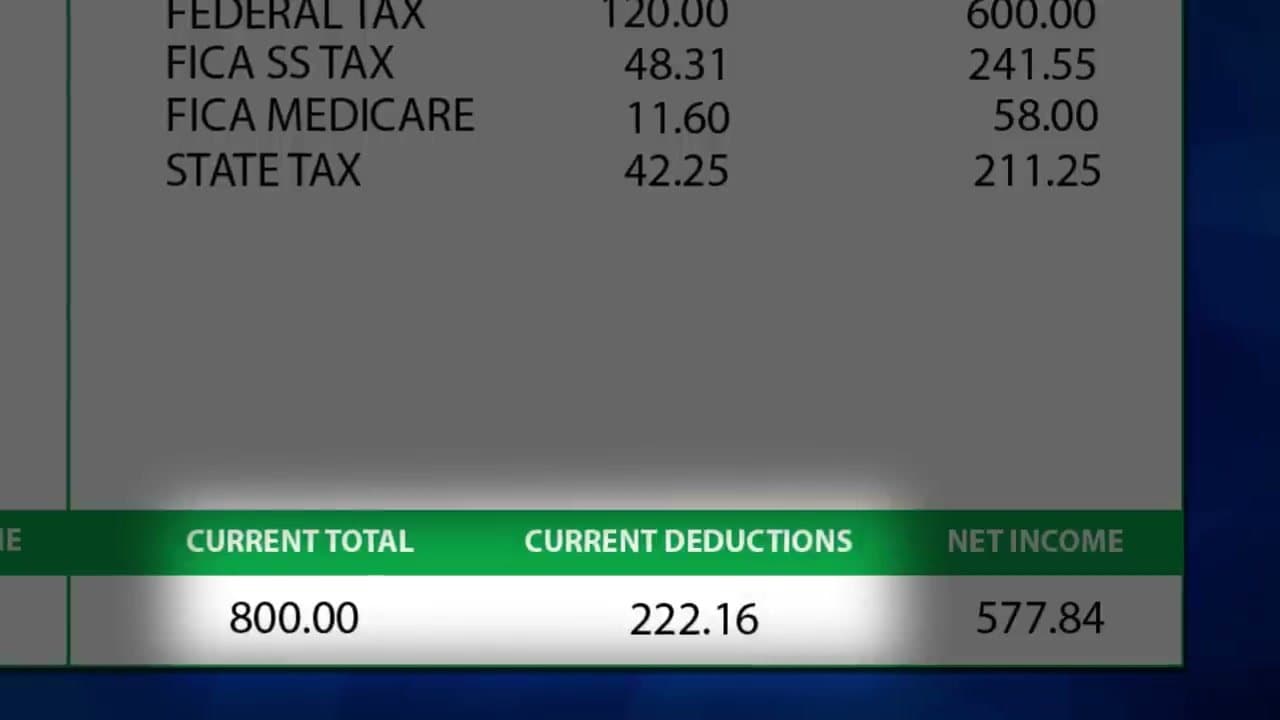
Gross pay is what you earn before anything comes out. Net pay, or take-home pay, is what actually lands in your account after taxes and deductions. The gap between the two is every withholding line on the stub added together.
What does YTD mean on a pay stub?
YTD stands for year to date. Those columns total your earnings, taxes, and deductions from January 1 through the current pay period, so you see the running yearly totals next to the amounts for this one check.
What is FICA or OASDI on my pay stub?
FICA is the payroll tax that funds Social Security and Medicare. It often shows as two lines: OASDI for Social Security at 6.2 percent and Medicare at 1.45 percent. Your employer quietly pays a matching amount that never appears on your stub.
Why is my net pay so much lower than my salary?
Income tax withholding and FICA come out of every check, and so does anything you signed up for like health insurance, a 401(k), or an HSA. Added up, it is normal to take home 25 to 30 percent less than your gross.
What is the difference between a pay stub and a W-2?
A pay stub covers one pay period with current and year-to-date figures. A W-2 is the single year-end summary your employer sends in January for filing taxes, and your last stub of the year should closely match it.
How long should I keep my pay stubs?
Hold each one at least until you have checked it against your W-2 for the year. Many people keep a full year on hand, since lenders and landlords often ask for your last few stubs as proof of income.