How to Become an Uber Driver (Sign Up in 5 Steps)

Side HustlesEasy6:185 steps
Also in:Finances

Based on a video by Buck Living.

Driving for Uber is one of the fastest gig-economy roles to get into - sign-up to first ride is usually 1-2 weeks once your background check clears. The mechanics are simple, but the order matters: pick the right earning type for your situation, confirm your car qualifies, and have your documents ready before you start the form.

This walkthrough follows the actual Uber driver signup wizard. You'll need a valid driver's license, vehicle registration, proof of insurance with you listed as a covered driver, and a phone number for SMS verification. Total time at the keyboard: about 15 minutes.

Step-by-Step Guide

1

Step 1: Go to Uber.com/Drive and Click Sign Up

0:20
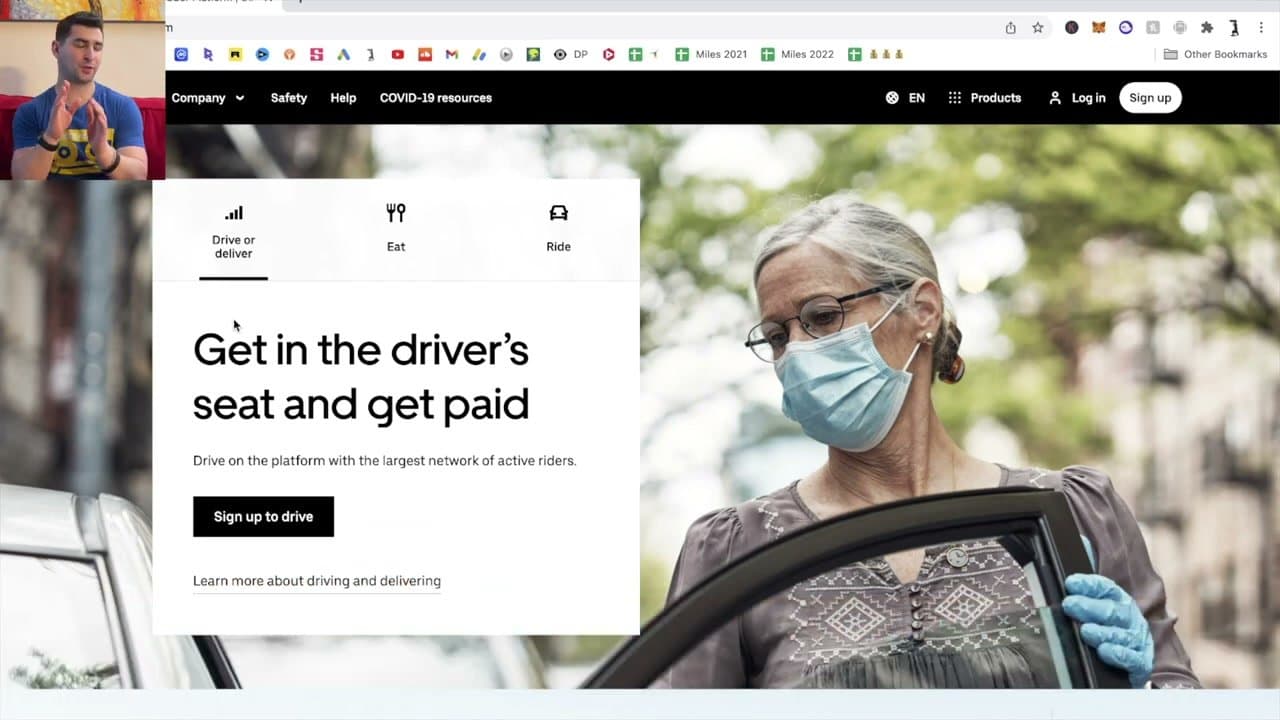
Step 1: Step 1: Go to Uber.com/Drive and Click Sign Up

Open uber.com/drive in your browser. The page shows your local earnings estimate (varies by city - Los Angeles in the example shows around $2,400 for completing 200 rides).

Click 'Sign up to drive' to start. This same page works for Uber rideshare and Uber Eats delivery - you'll choose between them on the next step.
2

Step 2: Enter Your Basic Info: Name, Email, Phone, Password

0:50
Step 2: Step 2: Enter Your Basic Info: Name, Email, Phone, Password

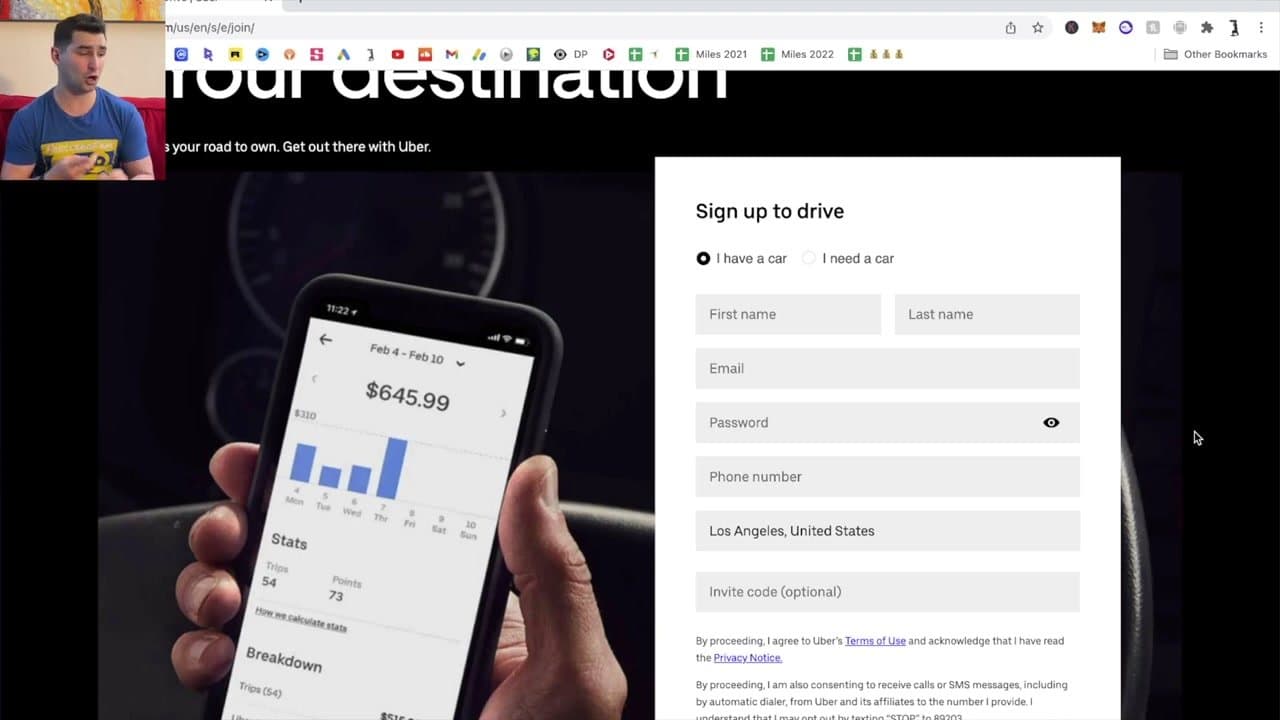
On the Sign Up form, choose 'I have a car' or 'I need a car.' Fill in first and last name, email, password, phone number, and the city you'll drive in.

If you don't have a car yet, Uber connects you with vehicle rental partners on the next steps. Use a real phone number - Uber will text a verification code immediately, and your phone is how you'll get ride pings.

3

Step 3: Pick How You Want to Earn

1:45
Step 3: Step 3: Pick How You Want to Earn

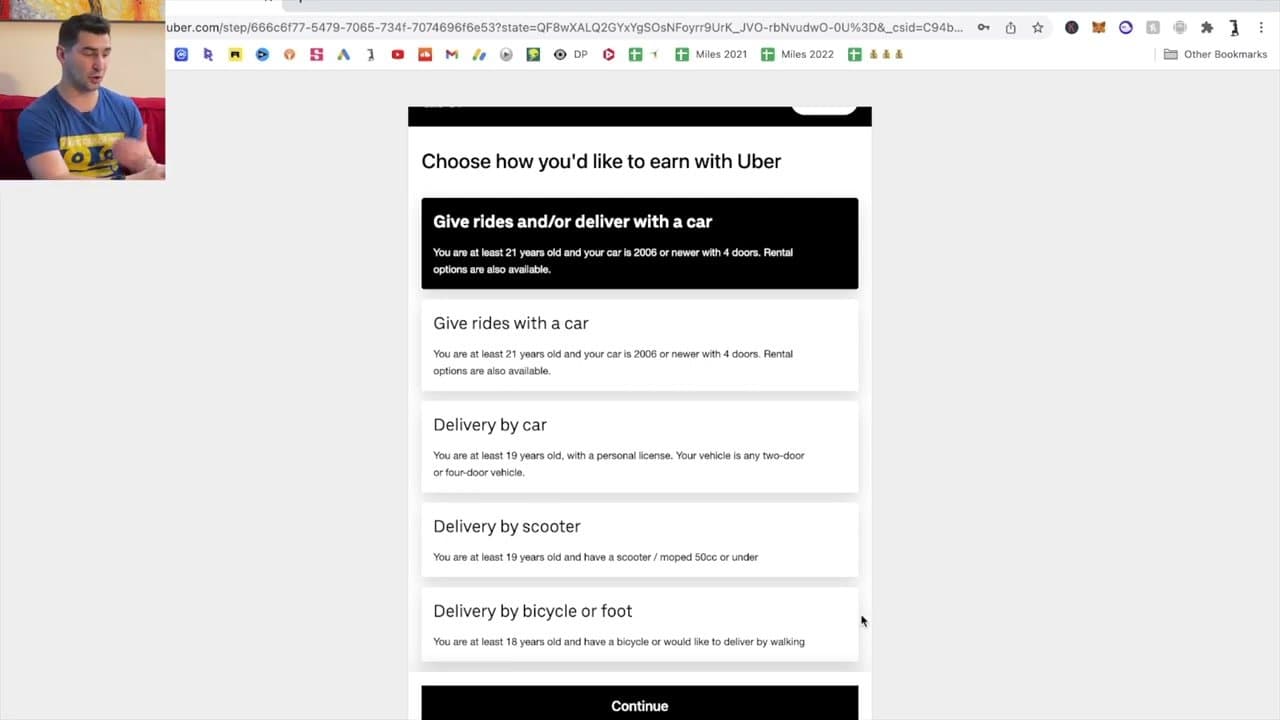
Choose your earning type: give rides with your car, deliver with your car, deliver by scooter, or deliver by bicycle/foot. Rideshare requires being at least 21 years old and a 4-door 2006-or-newer car.

Delivery options have lower age and vehicle requirements (19 years old, even non-car). Uber Eats by foot or bike is a foot-in-the-door option if you don't have a qualifying car - work up to a car with the income you earn.

4

Step 4: Tell Uber About Your Vehicle

2:35
Step 4: Step 4: Tell Uber About Your Vehicle

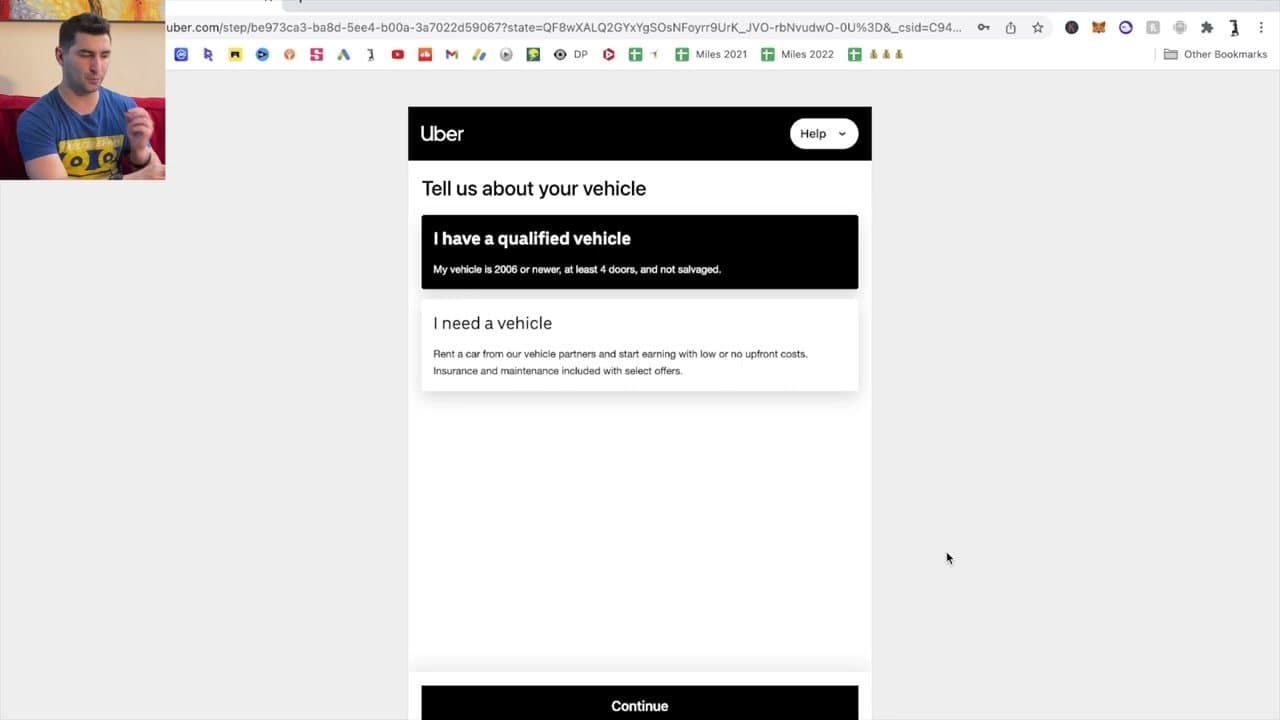
Confirm 'I have a qualified vehicle' if your car is 2006 or newer, has at least 4 doors, and isn't salvage-titled. If your car doesn't qualify, pick 'I need a vehicle' and Uber routes you to rental partners with insurance and maintenance bundled in.

Some experienced drivers rent even when they own a car - they don't want to put 50,000+ miles a year and the depreciation that comes with it on their personal vehicle. Run the numbers both ways before deciding.

5

Step 5: Submit Required Documents and Pass the Background Check

2:55
Step 5: Step 5: Submit Required Documents and Pass the Background Check

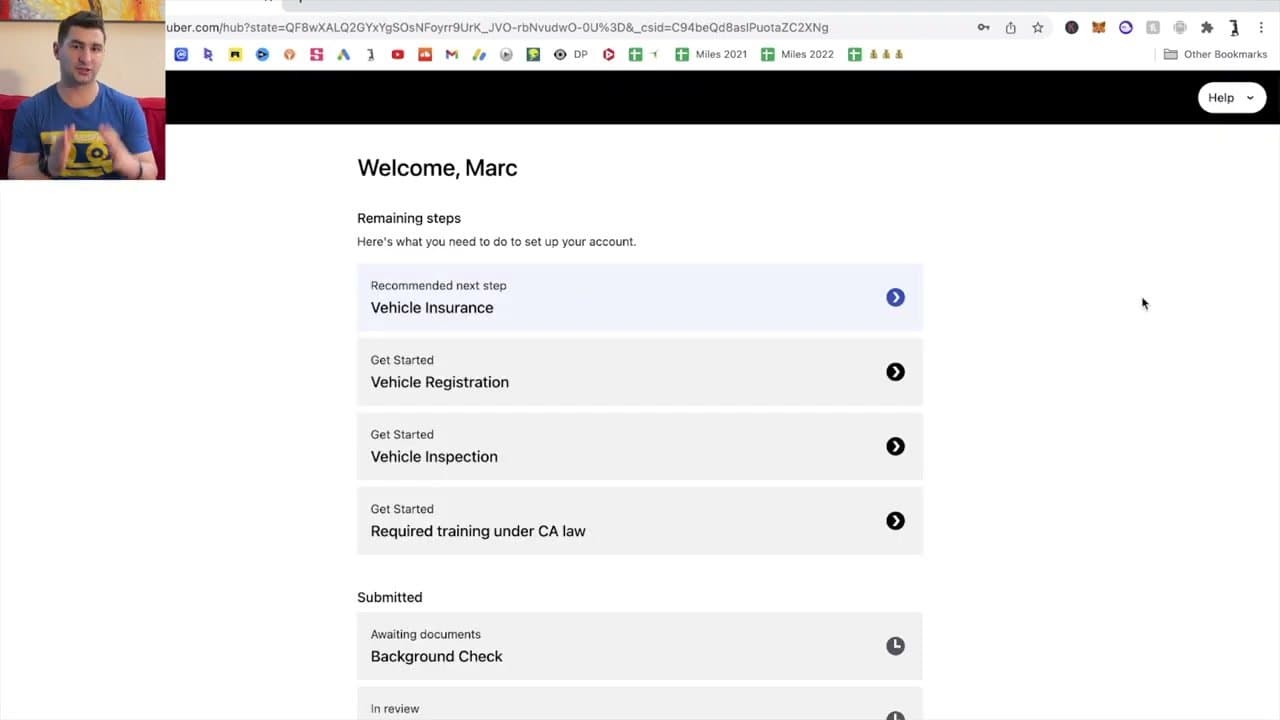
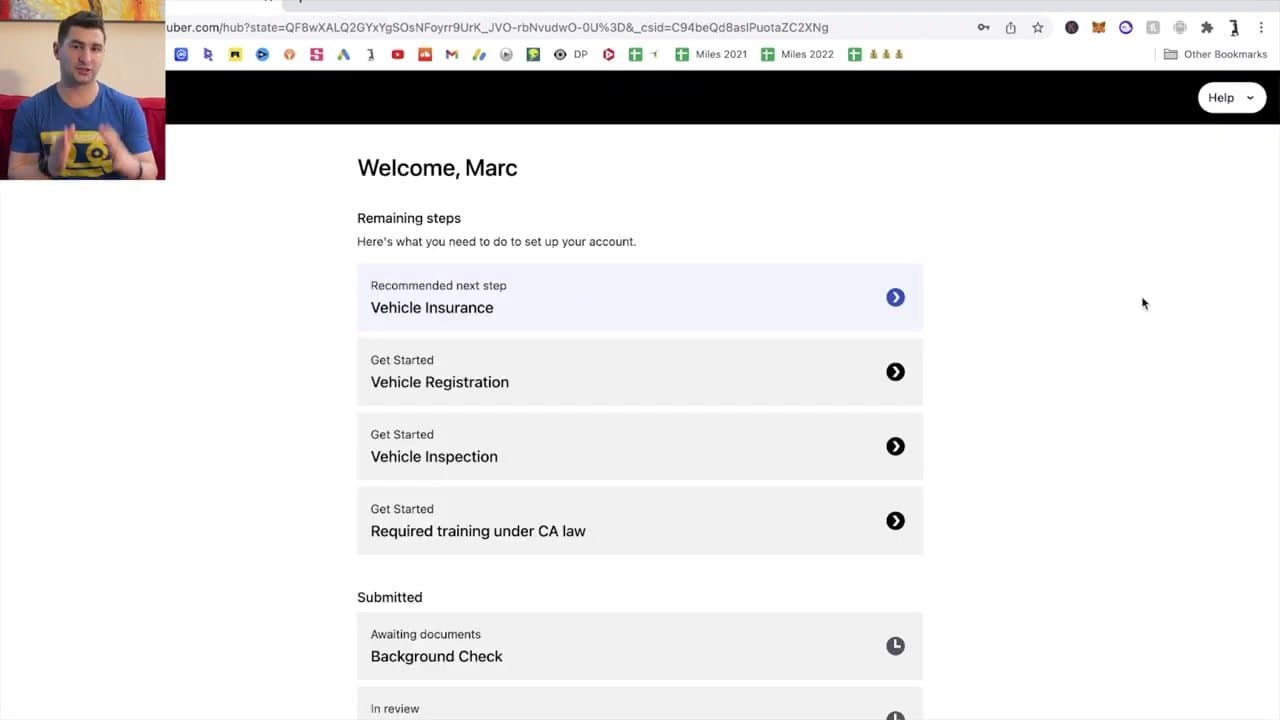
After the basic signup, your dashboard shows the 'Remaining steps' to complete: Vehicle Insurance (you listed as a covered driver), Vehicle Registration, Vehicle Inspection, and any state-required training (e.g. CA law in California).

Background Check runs in parallel and usually clears within a few days, occasionally up to two weeks. Once everything turns green, download the Uber Driver app (separate from the rider app), sign in, and tap Go Online when you're ready to start. Earnings hit your bank weekly via direct deposit, or you can cash out daily for a small fee.

Tip

Get your vehicle insurance updated before you start the application. Your name needs to be listed as a covered driver - if it's in someone else's name (parent, spouse), you'll need to add yourself before Uber will approve you.

Your Guide

Buck Living

As an Amazon Associate we earn from qualifying purchases. Links on this page may be affiliate links - clicking them and buying doesn't change your price, but helps support ShowMeStepByStep.

Tags

Related Tutorials