How to Become a DoorDash Driver

Side HustlesEasy7:4911 stepsBrowse more →
The finished result: How to Become a DoorDash Driver
Also in:Adulting

By ShowMeStepByStepPublished

Based on a video by Ali Yassine.

Signing up to drive for DoorDash takes about fifteen minutes of form filling, then a few days of waiting on a background check. None of it is hard, but the flow hands you between three different systems and it is not obvious what is coming next.

This walks the whole application on a phone, screen by screen, from finding the right app through to the Dasher home screen loading.

What you need before you start

  • A phone you can receive verification texts on
  • Your government ID, with your legal name as printed on it
  • Your driver's licence and insurance if you are delivering by car
  • Bank details for getting paid
  • To be 18 or over

How long it takes

The application itself is around fifteen minutes. The Checkr background check usually clears in a few days. You cannot accept deliveries until it does.

Already looking at other platforms? We also have a guide to becoming an Uber driver.

Step-by-Step Guide

11 steps · about 8 minutes.Check off each step as you go and your progress saves automatically.

1

Step 1: Download the Dasher App

1:18
Step 1: Download the Dasher App - How to Become a DoorDash Driver

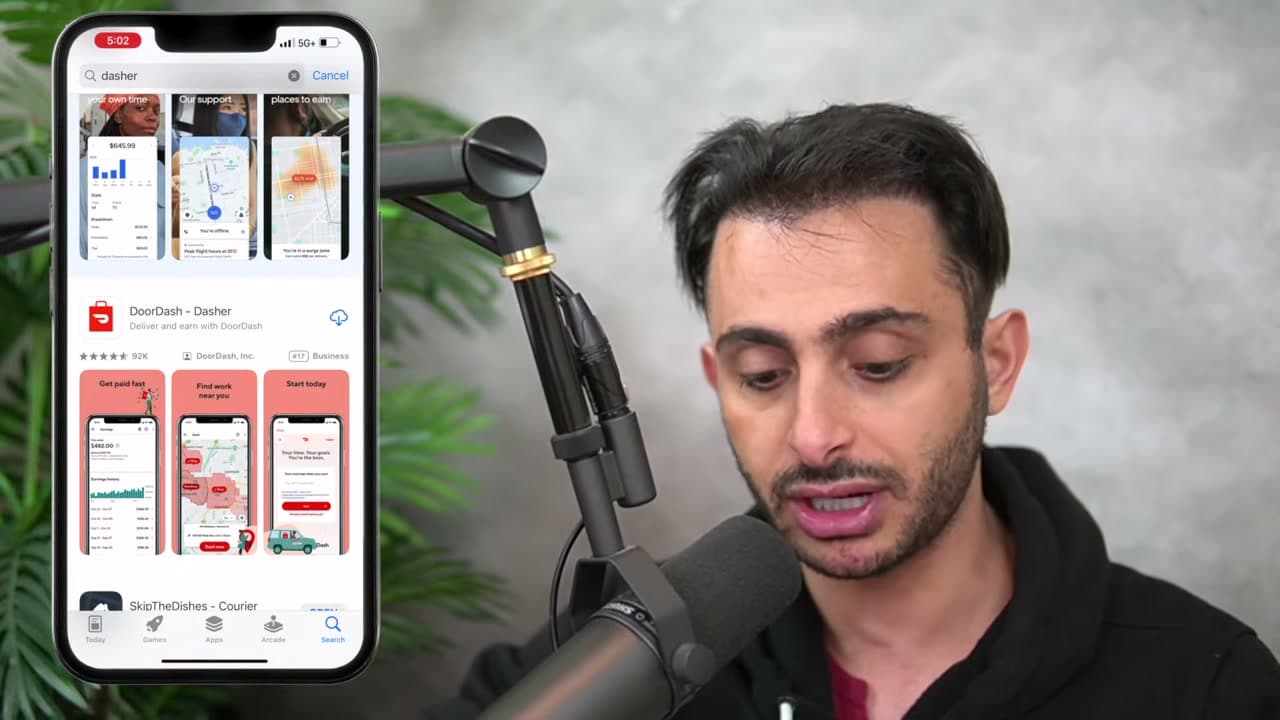
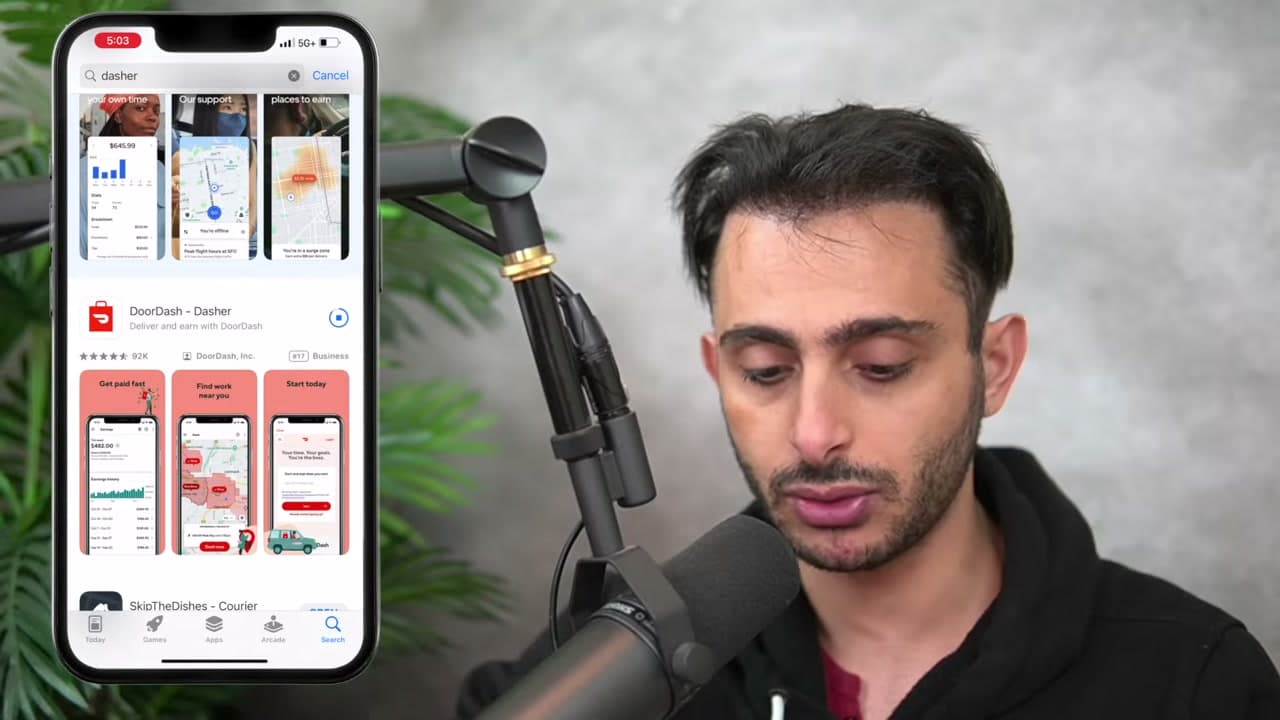
Search your app store for Dasher. The app you want is called DoorDash Dasher, and it is separate from the regular DoorDash app customers order food with.

Downloading the wrong one is the first place people get stuck. The customer app has no signup path for drivers.

Tip

The Dasher app is where you apply, get scheduled and accept orders. Keep both if you also order delivery.
2

Step 2: Tap Become a Dasher

1:31
Step 2: Tap Become a Dasher - How to Become a DoorDash Driver

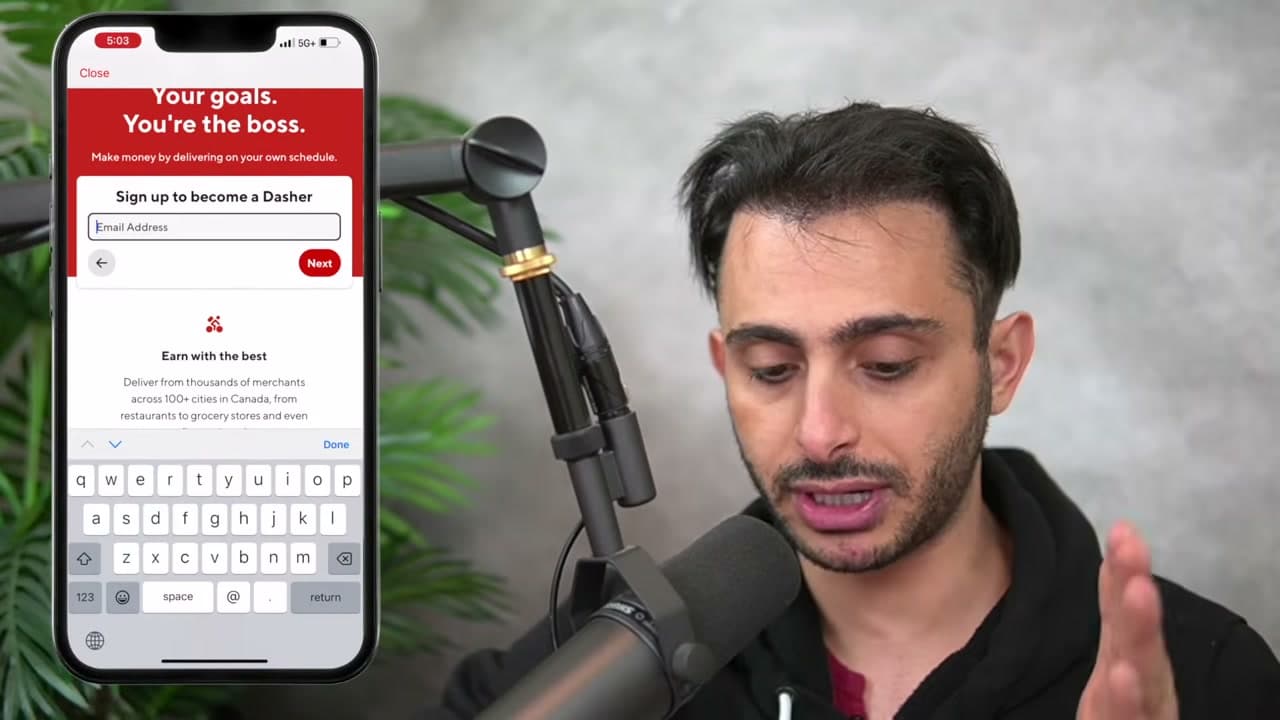
Open the app and you land on a signup splash. Tap Become a Dasher rather than signing in, because there is no account yet.

It asks for the postal code of the area you want to deliver in. Use where you will actually drive, not necessarily where you live, though most people are the same for both.

Tip

Not every zone is open. If your postal code is waitlisted the app tells you here rather than after you finish the whole application.

3

Step 3: Enter Your Email and Phone

1:57
Step 3: Enter Your Email and Phone - How to Become a DoorDash Driver

Email address first, then your phone number. Both get verified, so use ones you can actually check right now.

The phone number matters more than it looks. It is what DoorDash uses to reach you about deliveries, and changing it later means re-verifying.

Tip

Use a phone you keep with you while driving. Support contacts you there mid-delivery when something goes wrong with an order.

4

Step 4: Enter Your Legal Name

2:23
Step 4: Enter Your Legal Name - How to Become a DoorDash Driver

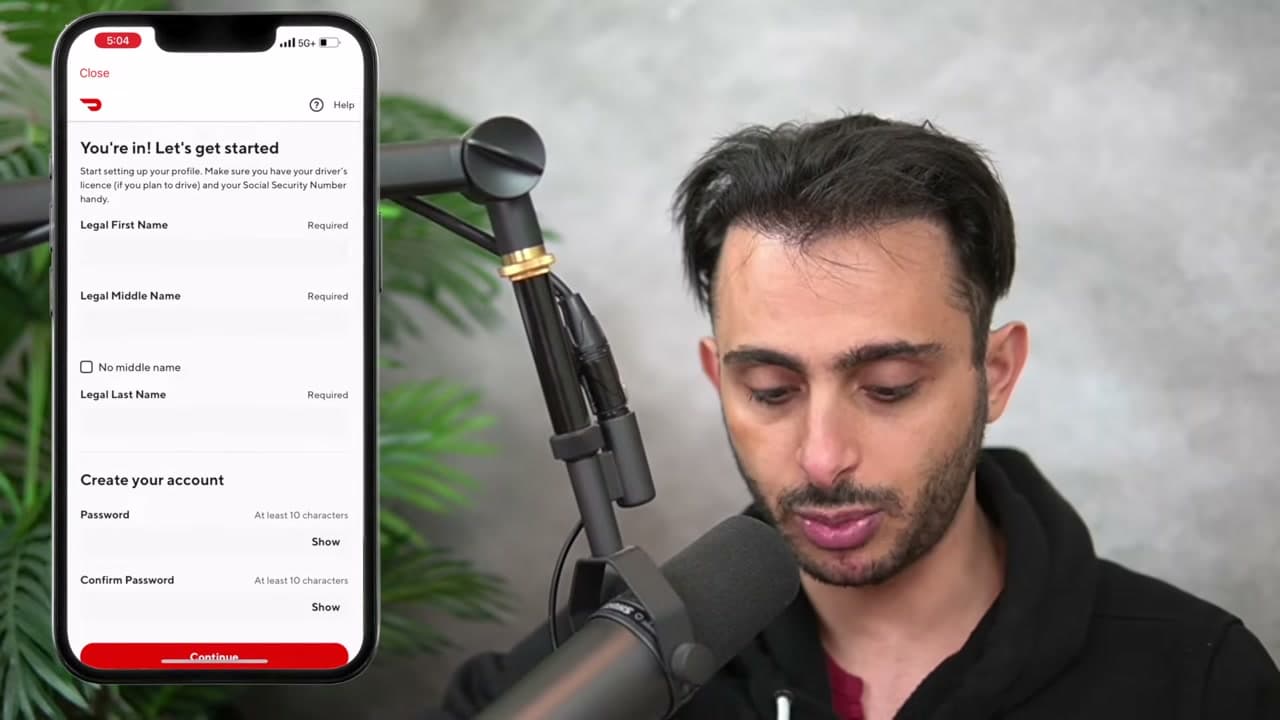
First and last name, exactly as they appear on your government ID.

No nicknames and no shortened versions. This gets checked against your ID during the background check later, and a mismatch stalls the whole application. If you have no middle name there is a checkbox for it.

Tip

If your ID says Michael and everyone calls you Mike, enter Michael. The verification step is automated and does not know the difference.

5

Step 5: Create a Password

3:10
Step 5: Create a Password - How to Become a DoorDash Driver

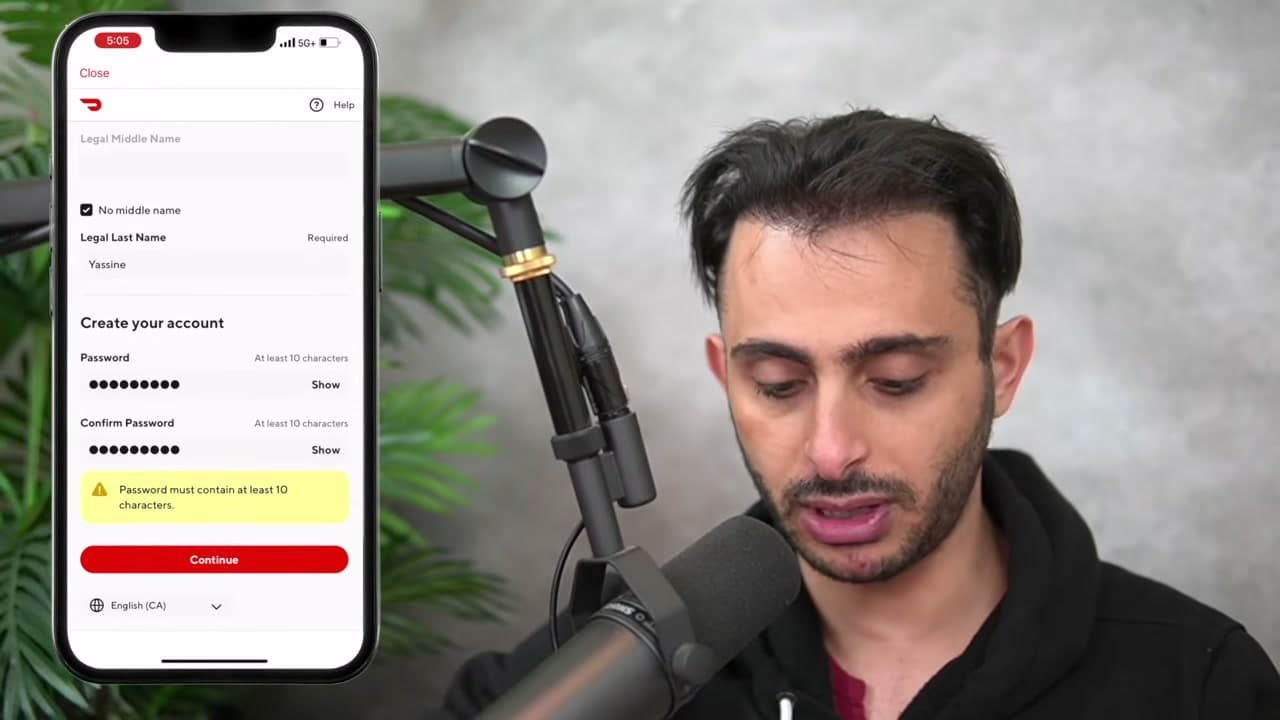
Set a password and confirm it.

The length requirement is stricter than it first appears, and the app rejects short ones with a warning rather than telling you the rule up front. If it bounces, add characters until the warning clears.

Tip

Save it somewhere. You will be logging in on a phone while parked, which is a bad time to run a password reset.

6

Step 6: Choose Your Vehicle

3:41
Step 6: Choose Your Vehicle - How to Become a DoorDash Driver

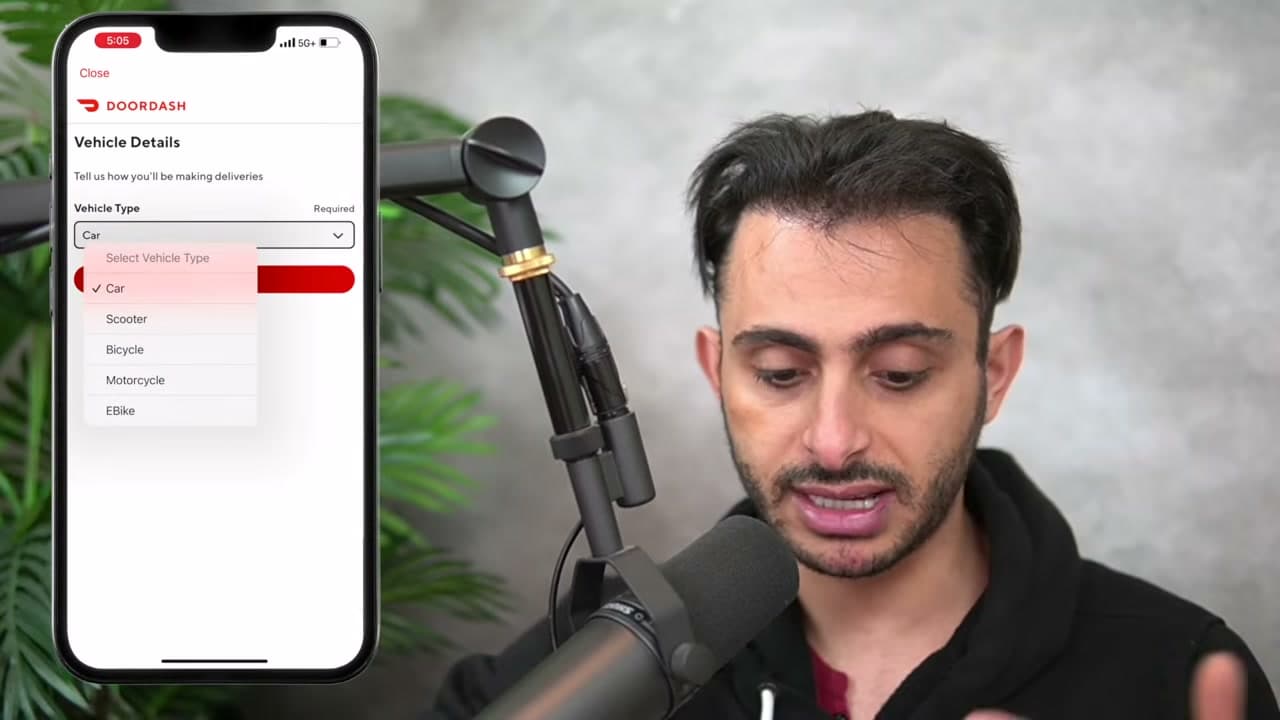
Pick what you will deliver with. Car, scooter, bicycle, motorcycle or walking, depending on what your market allows.

This drives what else you get asked for. A car means insurance and licence details; a bicycle skips most of that. Some dense city zones allow bike and walking deliveries that suburban zones do not.

Tip

You can change vehicle type later in the app, but it triggers another round of document checks, so pick the one you will actually use.

7

Step 7: Add Your Date of Birth

4:07
Step 7: Add Your Date of Birth - How to Become a DoorDash Driver

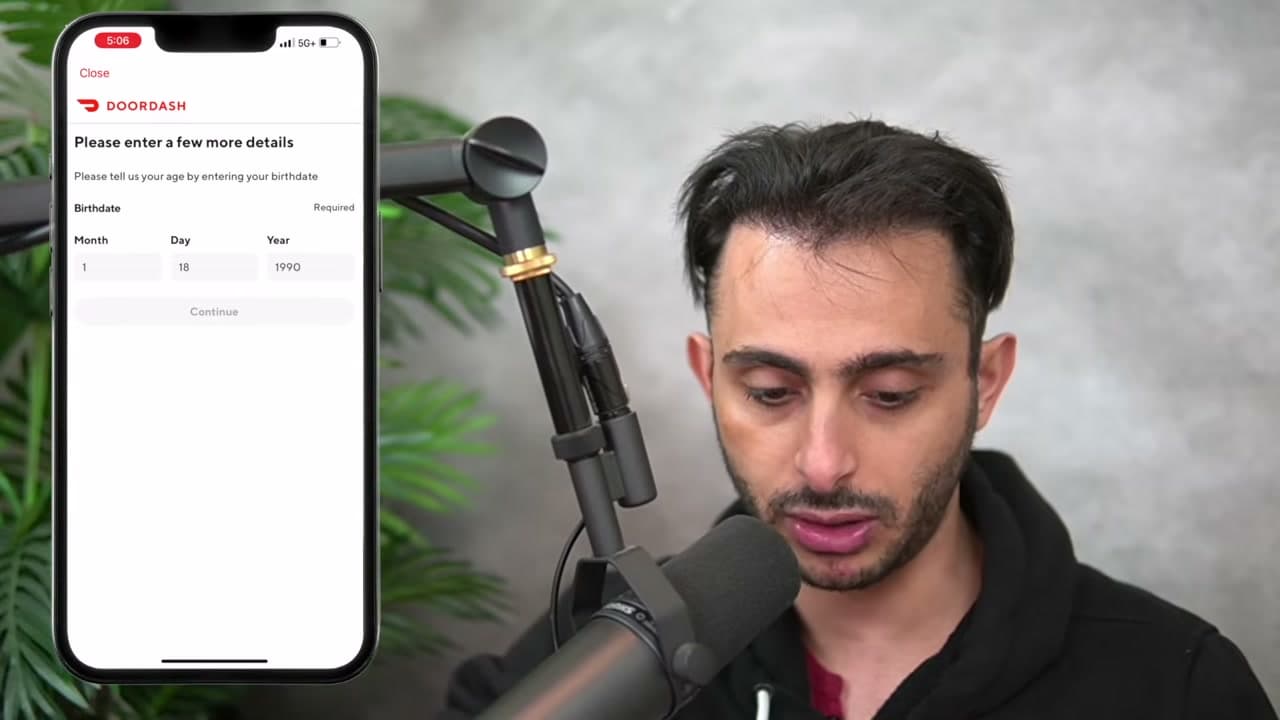
A short screen asking for a few more details, date of birth being the main one.

You have to be 18 or over. This also feeds the background check, so it has to match your ID.

Tip

Same rule as your name: match the ID exactly, including the year.

8

Step 8: Start the Background Check

4:25
Step 8: Start the Background Check - How to Become a DoorDash Driver

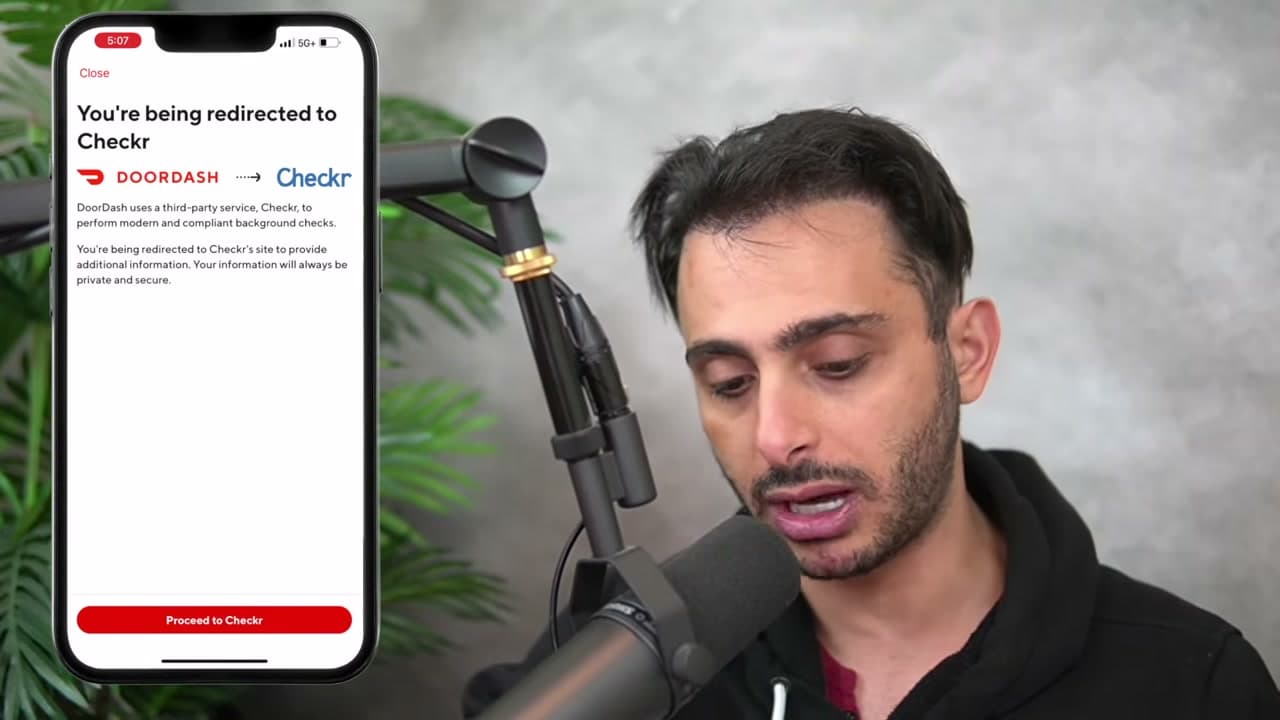
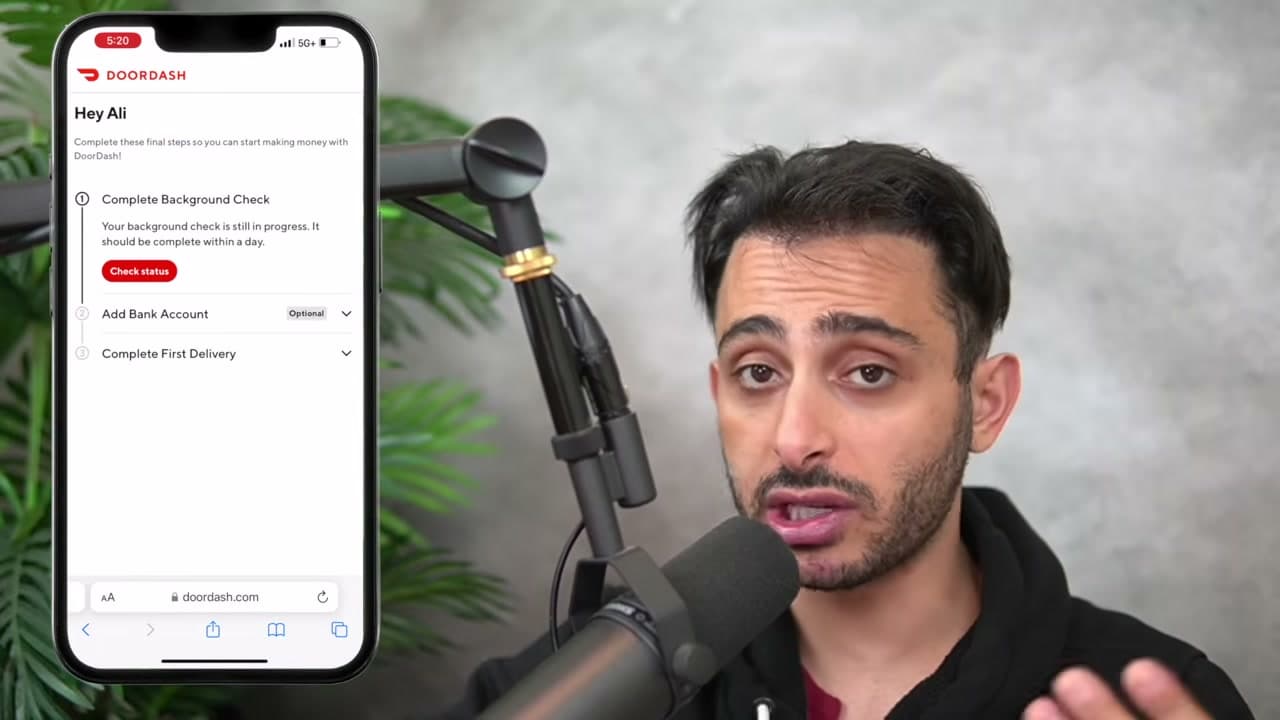
DoorDash hands you off to Checkr, the third party that runs the background check. The screen tells you the redirect is happening.

This is expected and not a scam page. Checkr looks at driving record and criminal history. It typically clears in a few days, though it can take longer.

Tip

Do not close the browser mid-flow. Restarting the Checkr process from scratch is slower than finishing it.

9

Step 9: Upload Your Documents

5:38
Step 9: Upload Your Documents - How to Become a DoorDash Driver

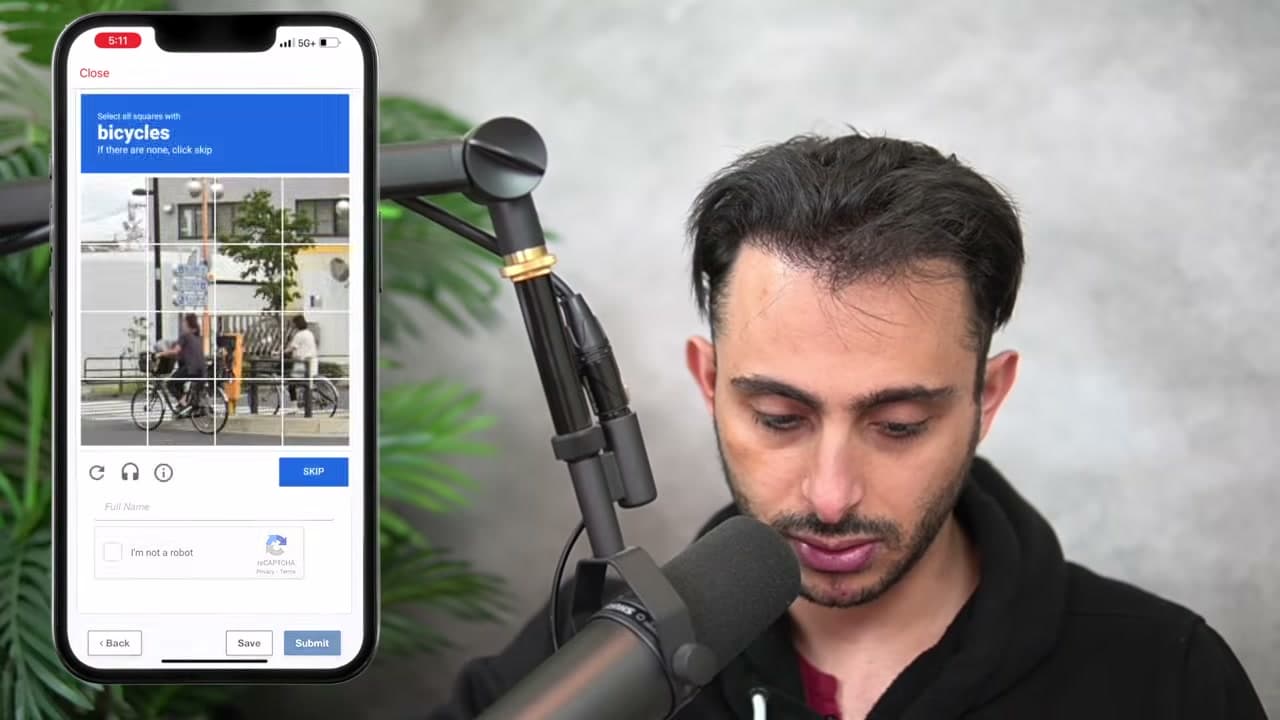
Checkr asks for photos of what you are driving and the paperwork that goes with it.

Take the photos in decent light with the whole document flat in frame. Blurry or cropped uploads get rejected and you resubmit, which adds days.

Tip

Have your licence and, if you are driving a car, your insurance to hand before you start this screen.

10

Step 10: Verify Your Identity

6:17
Step 10: Verify Your Identity - How to Become a DoorDash Driver

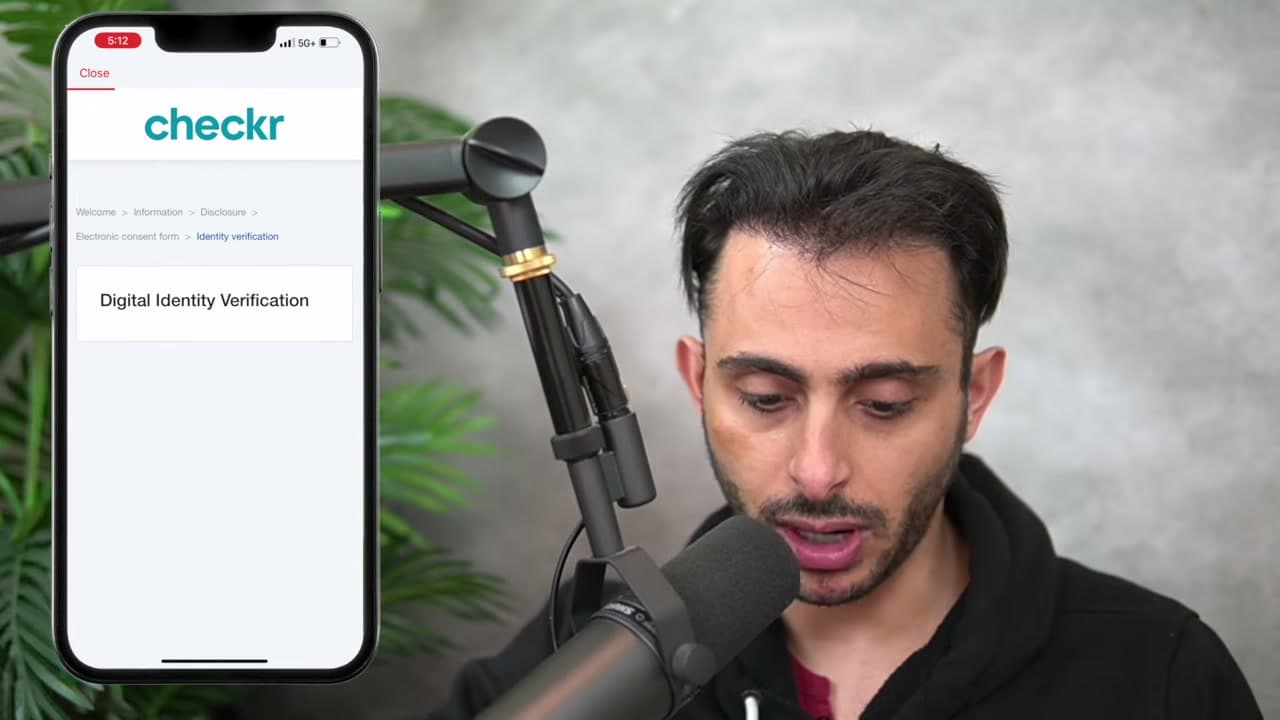
Last real hurdle. Choose which ID document you are uploading, then follow the prompts to photograph it.

The screen warns you not to close the browser while it uploads. Take that seriously, it usually finishes in under a minute.

Tip

Glare is the usual cause of a failed scan. Move away from overhead lights and lay the ID on a dark surface.

11

Step 11: Finish Setup and Start Dashing

7:09
Step 11: Finish Setup and Start Dashing - How to Become a DoorDash Driver

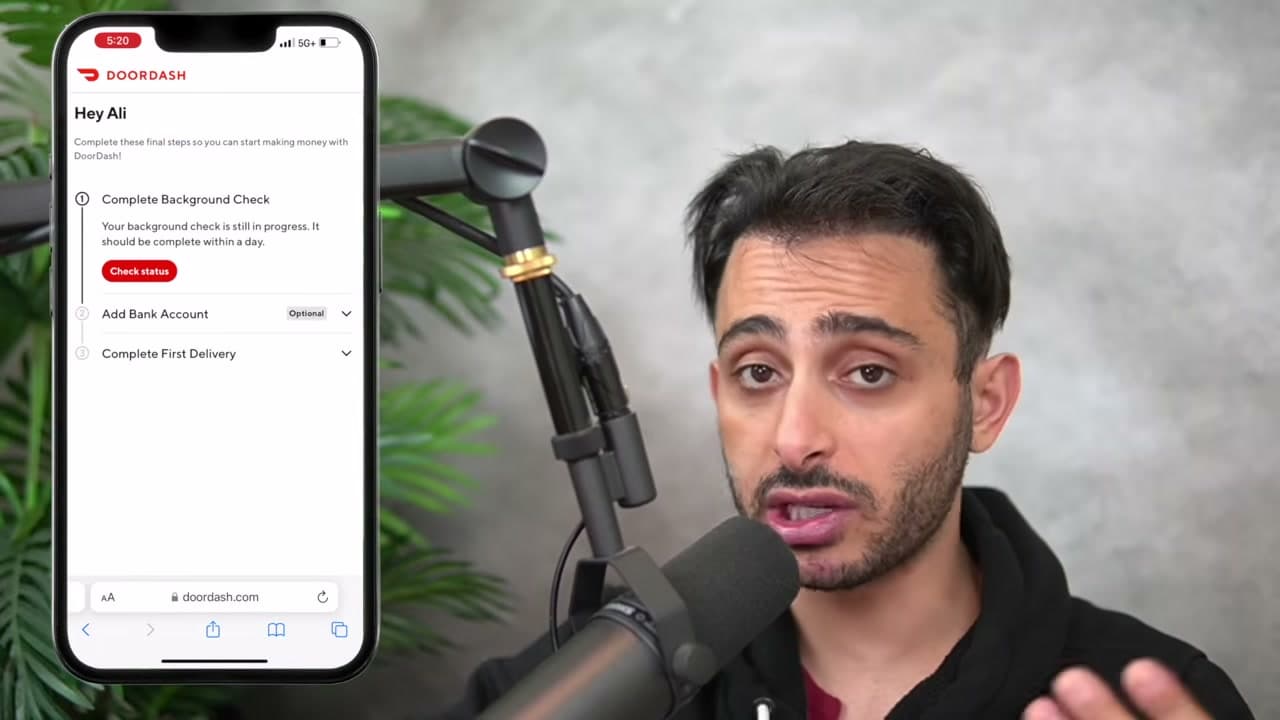
The application is in and the Dasher home screen loads with whatever is left on your checklist, usually the background check clearing and adding a bank account.

Add the bank details now rather than later. You cannot be paid without them, and people forget until their first delivery is done.

Tip

Once the background check clears you can schedule a dash or go online in your zone and start accepting orders.

Keep going

How to Start a YouTube Channel in 7 Steps

7 steps · about 9 minutes

Your Guide

Ali Yassine

As an Amazon Associate we earn from qualifying purchases. Links on this page may be affiliate links - clicking them and buying doesn't change your price, but helps support ShowMeStepByStep.

Tags

Sunday How-To

New side hustles tutorials, every Sunday

One short email with the week's best step-by-step guides. Free, no spam, unsubscribe anytime.

Did this work for you?

What's next

Related collections

Curated theme pages that include this tutorial.

Weekly Digest

Liked this side hustles tutorial?

Pick the categories you want to hear about. Weekly digest of new step-by-step tutorials. No spam, easy unsubscribe.

Send me tutorials about

We only email about new tutorials. Easy unsubscribe anytime.