How to Replace a Light Switch

Home ImprovementEasy14:466 steps5-question quiz at endBrowse more →
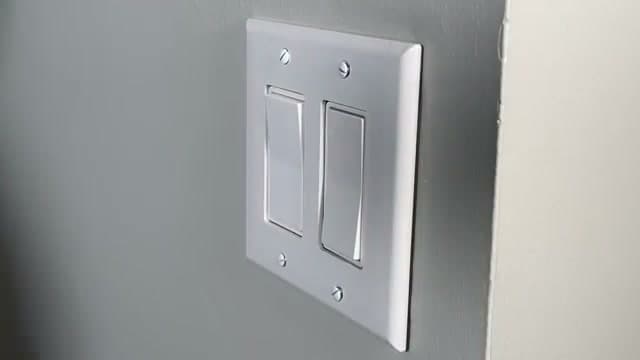
The finished result: How to Replace a Light Switch

By ShowMeStepByStepPublished Updated

Based on a video by Everyday Home Repairs.

Step 1 of 5 inHome Electrical: Install It Yourself

Replacing a light switch is the most approachable electrical project you can do at home. The switch itself costs two bucks, the job takes about 15 minutes, and the result is immediately noticeable every time you walk into the room.

Scott from Everyday Home Repairs walks through the process for a standard single-pole (two-way) switch, including the safety steps most people rush through. He also covers the common mistakes he sees in electrical boxes so you can fix those while you have the cover off.

Once the shut-off-and-verify routine feels natural, it carries straight over to bigger electrical jobs. Installing a ceiling fan uses the same safe-wiring steps, with a fan-rated box added to carry the weight.

Common questions about replacing a light switch

Do I have to turn off the power at the breaker?

Yes, always. Flip the breaker for that circuit and confirm the switch is dead with a non-contact voltage tester before you touch a wire. Turning the wall switch off does not make the wiring safe to handle.

How do I find the right breaker?

Turn the light on, then flip breakers one at a time until it goes out. Label that breaker while you are there so the next job is faster, and still verify at the switch with a tester rather than trusting the panel label.

What is the difference between a single-pole and a three-way switch?

A single-pole switch controls a light from one spot and has two brass screws plus a ground. A three-way adds a traveler terminal and controls one light from two switches, so the wiring is not interchangeable. Match the replacement to what you pulled out.

Which way do I wrap the wire around the screw?

Bend each wire into a J-hook and wrap it clockwise around the screw terminal. Clockwise matters because tightening the screw pulls the loop closed; counterclockwise pushes it out from under the screw head.

My switch has more than two wires. Now what?

A plain single-pole switch uses two hot wires plus a ground. Extra wires usually mean it is a three-way, or the box is a pass-through where other neutrals or circuits are joined and not connected to the switch. Photograph the old wiring before you remove anything.

Can I replace a light switch myself?

Yes, it is the most beginner-friendly electrical job there is: a couple dollars for the switch and about 15 minutes once the power is off and verified. If the wiring looks scorched, the box is overcrowded, or you find aluminum wiring, stop and call an electrician.

How much would an electrician charge?

A pro usually charges a minimum service call, often 100 to 200 dollars, to swap a switch that costs a couple of dollars. That gap is exactly why this is the first electrical skill worth learning.

Comfortable matching wires now? A ceiling fan is the next weekend upgrade with the same wire-nut basics. Follow how to install a ceiling fan.

Step-by-Step Guide

6 steps · about 15 minutes.Check off each step as you go and your progress saves automatically.

1

Turn Off the Power and Test

1:19
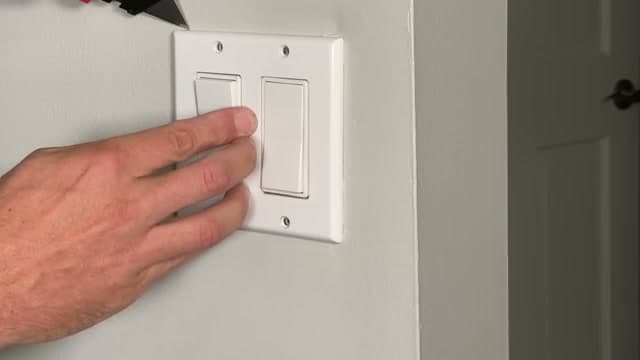
Step 1: Turn Off the Power and Test - How to Replace a Light Switch

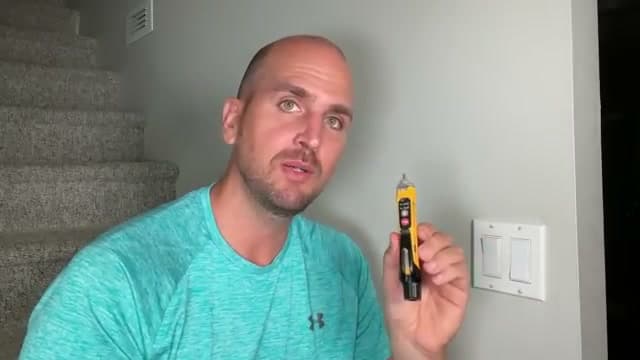
Go to your breaker panel and flip the breaker for the circuit that feeds this switch. Come back with a non-contact voltage tester and confirm there is no power. Test the tester on a known-hot outlet first to make sure it is working.

Do not skip the testing step. The breaker labels in your panel may not match what is actually on that circuit.

Used in this step: Non-Contact Voltage Tester

2

Remove the Faceplate

2:18
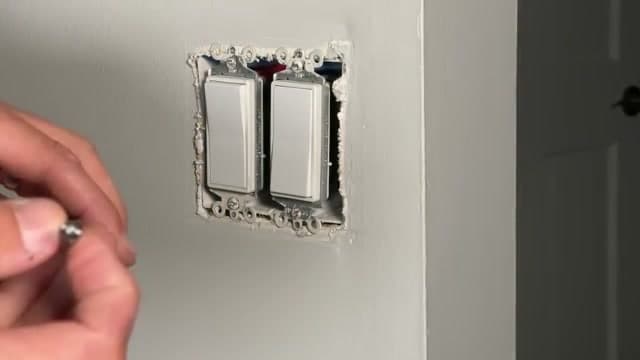
Step 2: Remove the Faceplate - How to Replace a Light Switch

Before pulling the faceplate off, score around the edges with a razor blade. This breaks the paint seal between the plate and the wall. Without scoring, you risk tearing the drywall paper and making the job bigger than it needs to be.

Remove the screws and pop the plate off.

Used in this step: Insulated Screwdriver Set

3

Remove the Old Switch

3:09
Step 3: Remove the Old Switch - How to Replace a Light Switch

Unscrew the two mounting screws that hold the switch to the electrical box. Gently pull the switch out. Test again with the voltage tester on the wires and terminals to be absolutely sure there is no power.

Look at how the wires are connected. For a standard two-way switch, there will be a hot wire in and a load wire out. The neutral wires pass through the box in a wire nut and do not connect to the switch.

4

Strip and Prep the Wires

9:53
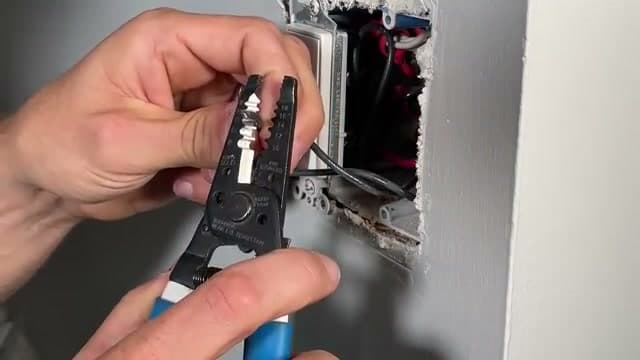
Step 4: Strip and Prep the Wires - How to Replace a Light Switch

If you have enough wire, cut the old ends off and strip fresh. Strip about 3/4 inch of insulation. Use wire strippers matched to your gauge - 12 gauge is the thickness of a nickel, 14 gauge is the thickness of a dime.

Make a J-hook at the end of each stripped wire by bending it around the small hole in your strippers. This hook wraps around the screw terminals on the new switch.

Used in this step: Wire Strippers

5

Wire the New Switch

10:42
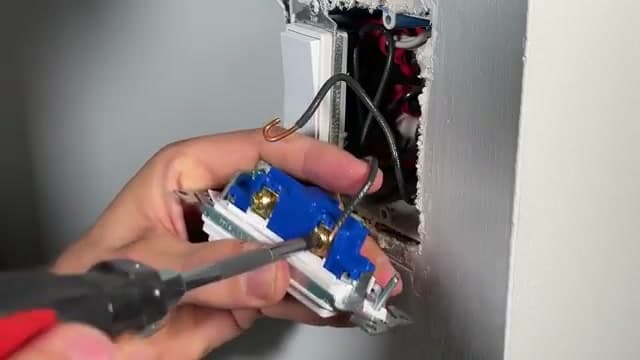
Step 5: Wire the New Switch - How to Replace a Light Switch

Wrap each J-hook clockwise around its screw terminal on the new switch. Clockwise matters because tightening the screw pulls the wire in. Counterclockwise would push it out.

Tighten each screw firmly. Connect the ground wire (bare copper) to the green ground screw if your switch has one. Use side wiring, not the push-in holes on the back.

Used in this step: Wire Nuts, Single Pole Light Switch

6

Mount the Switch and Install the Faceplate

12:10
Step 6: Mount the Switch and Install the Faceplate - How to Replace a Light Switch

Tuck the wires back into the box and screw the switch into the mounting holes. Adjust it so the face sits flush with the wall. Attach the faceplate and tighten the screws. Align all screw heads the same direction for a clean finish.

Flip the breaker back on and test the switch. If the light turns on and off, you are done.

Keep going

How to Descale a Keurig With Vinegar

Products Used

The Checklist

How to Replace a Light Switch

Tools
3
Materials
3
Steps
6
Video
15 min

Tools we recommend

Your Guide

Everyday Home Repairs

As an Amazon Associate we earn from qualifying purchases. Links on this page may be affiliate links - clicking them and buying doesn't change your price, but helps support ShowMeStepByStep.

Tags

Sunday How-To

New home improvement tutorials, every Sunday

One short email with the week's best step-by-step guides. Free, no spam, unsubscribe anytime.

Test your knowledge

Did the lesson stick? Start with this one.

5 questions covering what you just read. No signup, no score saved, and you can stop after this one.

Question 1 of 5

First thing to do before touching the switch?

Quick reference

Key takeaways from How to Replace a Light Switch

5 questions, answers, and one-line explanations. Tap to expand.

  1. 1.First thing to do before touching the switch?

    Answer: Flip the breaker off

    Breaker first. The wall switch only cuts the load, not the hot feed to the box.

  2. 2.Why test your tester on a known-live outlet?

    Answer: Confirm the tester works

    A dead tester reads no voltage on a hot wire too. Verify it lights up on a live outlet first.

  3. 3.Which wire is the hot in US residential?

    Answer: Black insulation

    Black = hot, white = neutral, green or bare copper = ground. Single-pole switches only break the hot.

  4. 4.About how much insulation should you strip?

    Answer: Around 3/4 of an inch

    Roughly 3/4 inch wraps a screw terminal cleanly without leaving bare copper exposed past it.

  5. 5.Which direction should the wire loop around the screw?

    Answer: Clockwise direction

    Loop clockwise so tightening the screw pulls the loop closed instead of pushing it open.

Did this work for you?

What's next

Related collections

Curated theme pages that include this tutorial.

Weekly Digest

Liked this home improvement tutorial?

Pick the categories you want to hear about. Weekly digest of new step-by-step tutorials. No spam, easy unsubscribe.

Send me tutorials about

We only email about new tutorials. Easy unsubscribe anytime.